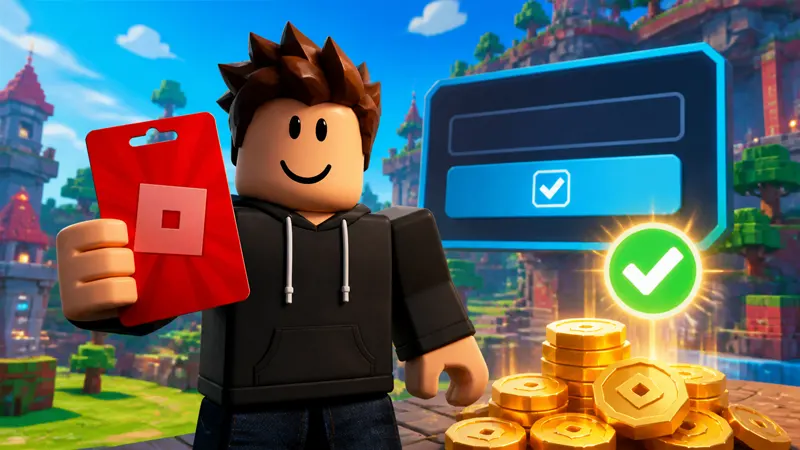
Want to know how to redeem Roblox gift card credit without losing the code or applying it to the wrong account? The safest method is to sign in through a web browser, open Roblox’s official redemption page, enter the PIN, and confirm that the credit, Robux, or virtual item appears on the intended account.
This guide covers physical and digital Roblox gift cards, mobile and console limitations, how to spend Roblox Credit, and the most common reasons a valid code fails.
Last checked: August 30, 2026
How to redeem Roblox gift card credit
- Open a web browser and visit Roblox.com/redeem.
- Sign in to the Roblox account that should receive the card.
- Find the PIN on the back of a physical card or inside the digital delivery email.
- Enter the code exactly as shown.
- Select Redeem.
- Wait for the success message before closing the page.
Check the username before submitting the code. A redeemed gift card is attached to the account that was signed in at the time, and Roblox gift-card value is not designed to be transferred between accounts afterward.
Can you redeem a Roblox gift card in the mobile app?
Most players cannot redeem Roblox gift cards inside the standard iPhone, iPad, or Android app. Use Safari, Chrome, or another browser and go directly to Roblox.com/redeem. Redemption is also unavailable inside the usual console apps.
Roblox currently documents one exception: Samsung Galaxy users may see a Redeem tile on the More page of the Samsung version of the Roblox mobile app. If that option is not present, use the browser method.
What do you receive after redemption?
The result depends on the card. Many standard Roblox gift cards add Roblox Credit, which you can use through a browser to purchase Robux or an eligible Roblox Premium subscription. Some cards or promotions deliver Robux directly instead of account credit. Amazon and Party Packs gift cards, for example, may be Robux-only.
Roblox may also include a promotional virtual item with an eligible card. Check the confirmation message and your inventory rather than assuming every card provides the same combination of benefits.
How to use Roblox Credit for Robux
- Stay signed in to the account where the card was redeemed.
- Return to the redemption page or open the Robux purchase page.
- Select Get Robux.
- Choose an available package that your credit balance can cover.
- Review the account and amount, then confirm the purchase.
If only a small balance remains, Roblox may display a Convert Credit to Robux option. Credit is normally viewed and spent through the browser, so do not worry if the balance is not shown throughout the mobile app.
Where can you check your Roblox gift-card balance?
Open Roblox in a browser, sign in, and check either the gift-card redemption page or Billing settings. The redemption page can show available credit below the Redeem button, while Billing settings lists the balance next to Roblox Credit.
Robux and Roblox Credit are different balances. Redeeming a credit-based card does not always increase the Robux number immediately; you may need to spend or convert the credit first.
Why is your Roblox gift card not working?
Incorrect letter or number
Gift-card fonts can make characters look similar. Roblox recommends checking common substitutions such as 0 and O, 1 and I, 2 and Z, 5 and S, 6 and G or Q, and 8 and B. Enter the code without extra spaces.
The card was not activated
A physical card may not work if the retailer did not complete activation at checkout. Keep the receipt and contact the retailer first when the card was purchased recently.
The code was already redeemed
Confirm that you are signed in to the expected account and check its balance or inventory. Never send a complete PIN to another person or enter it on a third-party “balance checker.”
You are using the wrong page
Roblox gift cards, promo codes, toy codes, and app-store gift cards are not always handled in the same way. Use the official Roblox redemption page for a Roblox-branded gift card. A Google Play, Apple, Xbox, or Amazon store card must first be redeemed through that store’s own account system.
Can Roblox gift cards be redeemed in another country?
Roblox says its gift-card codes can be redeemed worldwide, with the value converted to the account’s local currency when necessary. Availability, pricing, taxes, and the amount of Robux obtainable can still vary by location.
Enter multiple cards one at a time. Do not combine several PINs into one field.
How to avoid Roblox gift-card scams
- Use only roblox.com/redeem for Roblox-branded card redemption.
- Do not trust “free Robux generators” or unofficial code-checking pages.
- Never share a PIN in chat, comments, screenshots, or livestreams.
- Buy cards from established retailers.
- Keep the card and receipt until the balance is confirmed.
- Do not pay anyone who promises to unlock an already-used code.
Explore more account and redemption help in our Roblox guides and codes hub.
When should you contact Roblox Support?
Contact official Roblox Support after checking the account, code characters, activation, and redemption page. Roblox may request the username, purchase date and amount, retailer and location, country, PIN, serial number, receipt, images of the card, and a screenshot of the error.
Share those details only through Roblox’s official support process. Do not publish them on social media or a public forum.
Roblox gift-card redemption FAQ
Can one card be redeemed on two accounts?
No. A gift-card code is redeemed once and attaches its value or reward to the account used during redemption.
Can you redeem more than one Roblox gift card?
Yes. Roblox allows multiple cards, but each code must be entered separately.
Can Roblox Credit be split with another payment method?
Roblox states that a purchase must be paid in full using one payment method. If the credit is insufficient, select another available package or payment option.
Is Roblox gift-card redemption available on Xbox or PlayStation?
Use a web browser for a Roblox-branded gift card. Console-store gift cards must be redeemed through the relevant console account and are not the same as Roblox gift-card PINs.
Final answer
The correct way to redeem a Roblox gift card is to sign in at Roblox.com/redeem, confirm the account, enter the PIN, and wait for the success message. Use a browser unless the supported Samsung Galaxy app offers its Redeem tile, and protect the card details until the balance is safely applied.