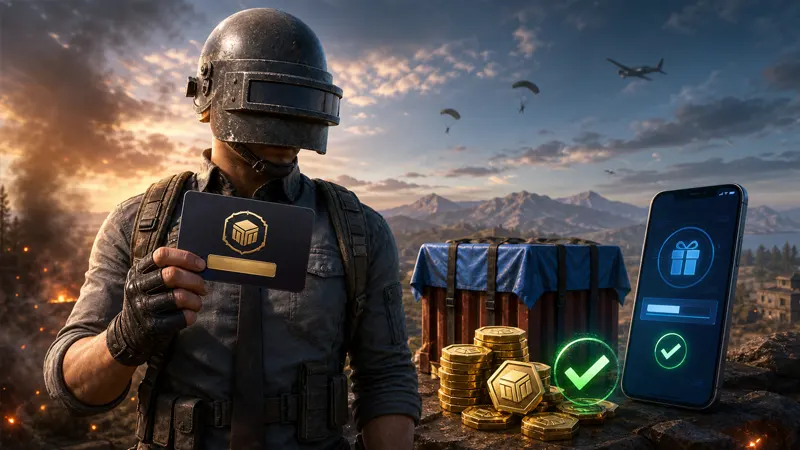
Trying to learn how to redeem PUBG gift card credit or a reward code? First identify what kind of code you own. PUBG: Battlegrounds reward codes, PUBG Mobile redemption codes, G-COIN codes, and Steam, Xbox, PlayStation, Google Play, or Apple gift cards use different redemption systems.
This guide explains the correct official route for each type so you do not enter a valuable code on the wrong website or expose it to a fake “code checker.”
Last checked: August 30, 2026
How to redeem PUBG gift card or reward codes
Check the branding and instructions supplied with the card or email. Use the matching section below:
- PUBG: Battlegrounds reward code: use PUBG’s official web redemption page with a linked KRAFTON ID.
- PUBG Mobile reward code: use the official PUBG Mobile Redemption Center with your Player ID.
- Steam, Xbox, or PlayStation card: redeem it through that platform’s store.
- Google Play or Apple gift card: add it to the relevant mobile-store account before making an eligible in-app purchase.
- Retailer-issued G-COIN code: follow the platform and region instructions supplied by the authorized seller.
There is no single universal “PUBG gift-card box” that accepts every card.
Redeem a PUBG: Battlegrounds reward code online
- Visit the official PUBG redeem-code page.
- Sign in with your KRAFTON ID.
- Make sure the correct PUBG platform account is linked.
- Select the eligible account.
- Enter the redeem code exactly as provided.
- Confirm the redemption and check the game for the reward.
KRAFTON notes that Kakao Games linking must be completed inside the game. A code can also be limited to a particular platform, account, event, country, or redemption period.
Redeem a PUBG code inside the game
Some G-COIN, bonus, or gift codes are redeemed through a PUBG game client rather than the public web page. Where the feature is available, open PUBG, enter the Store area, locate the Items section, and look for an option such as Add Bonus/Gift Code. Enter the code and confirm.
Only follow these steps when the seller or official promotion specifically identifies the code as compatible with that game client and platform. A Steam Wallet gift card is not entered into PUBG’s gift-code box.
How to redeem a PUBG Mobile code
- Open PUBG Mobile and copy your Player ID from the profile.
- Visit the official PUBG Mobile Redemption Center.
- Enter your Player ID.
- Enter the redemption code.
- Complete the displayed verification code.
- Select Redeem.
- Open PUBG Mobile and collect the reward from in-game mail.
The PUBG Mobile center is intended for eligible reward codes. It does not turn an Xbox, PlayStation, Steam, Google Play, Apple, or Amazon gift card directly into PUBG Mobile rewards.
Redeem a Steam gift card for PUBG purchases
A Steam gift card adds funds to the Steam Wallet. Redeem it through Steam’s official wallet-code page or the Steam client, then use the available balance for eligible PUBG purchases on the Steam account.
- Sign in to the Steam account used for PUBG.
- Open Account details or the wallet-code redemption page.
- Select the option to redeem a Steam Gift Card or Wallet Code.
- Enter the code and confirm the wallet balance.
- Launch PUBG and make an eligible purchase through Steam.
Do not enter a Steam Wallet code on PUBG.com or PUBG Mobile’s Redemption Center.
Redeem PUBG-related codes on Xbox or PlayStation
Xbox
For an Xbox gift code, use the Microsoft/Xbox Store’s Redeem or Use a code option while signed in to the correct Microsoft account. PUBG’s Xbox support also directs players with Xbox gift codes to the console Store and its Use a code option.
PlayStation
Redeem a PlayStation Store voucher through the PlayStation Store on the correct PSN account. After the wallet balance is added, it can be used for eligible purchases according to the store’s regional rules.
Store vouchers are commonly region-locked. A code purchased for a different store region may fail even if PUBG is available on both accounts.
Can you use Google Play or Apple gift cards for PUBG Mobile?
Redeem the card into the matching Google Play or Apple account first. If PUBG Mobile billing and the store region support the intended purchase, choose the store balance during checkout.
Do not paste the full Google Play or Apple code into an unofficial PUBG website. Store-card eligibility, currencies, parental controls, taxes, and available payment methods vary by country.
Why is your PUBG gift card or code not working?
Wrong redemption system
This is the most common problem. A PUBG Mobile reward code belongs in the PUBG Mobile center, a KRAFTON reward code belongs on the official PUBG redemption page, and a platform gift card belongs in its platform store.
Wrong account or unlinked KRAFTON ID
Confirm the platform account connected to the KRAFTON ID. A successful redemption on the wrong linked profile may not appear where expected.
Expired or already-used code
KRAFTON’s code policy says a code can be used once. Free promotional codes generally have shorter validity periods, while paid codes can have different terms. The email, card, event page, or authorized retailer should provide the applicable expiration details.
Platform or regional restriction
Some codes are created for PC, Xbox, PlayStation, mobile, or a specific country. Verify the region and platform before buying a code from another person or international marketplace.
Typing mistake
Copy and paste digital codes when possible. For physical cards, check similar characters, remove spaces not shown in the original, and avoid repeated attempts if the page temporarily limits submissions.
How to avoid PUBG gift-card scams
- Use official PUBG, PUBG Mobile, Steam, Xbox, PlayStation, Google Play, or Apple redemption pages.
- Never send the full code to someone offering to “verify” it.
- Avoid code generators, survey gates, and sites requesting your game password.
- Buy paid codes only from KRAFTON or an approved retailer.
- Keep receipts and confirmation emails until the reward appears.
- Do not buy transferred promotional codes from strangers.
KRAFTON states that selling or transferring its promotional and gift codes can be prohibited and that codes obtained through personal sales or trades may not be protected. For more PUBG help, visit our PUBG guides hub.
PUBG gift-card redemption FAQ
Can a PUBG code be redeemed twice?
No. Eligible gift and reward codes are generally single-use.
Does a PUBG gift card automatically add G-COIN?
Not always. The result depends on the exact product. A platform card usually adds store balance first, while a dedicated G-COIN or reward code follows its supplied PUBG instructions.
Where do PUBG Mobile rewards appear?
After a successful official redemption, PUBG Mobile says the corresponding reward can be collected through in-game mail.
Can a PUBG Mobile code work in PUBG: Battlegrounds?
Usually not. They are separate products with different accounts and redemption systems unless an official promotion explicitly says otherwise.
What should you do if a purchased code fails?
Confirm the platform, region, account, characters, activation, and expiry date. Then contact the retailer for activation or purchase problems, or the appropriate official game/platform support team for account and redemption issues.
Final answer
To redeem a PUBG gift card safely, identify whether it is a KRAFTON reward code, PUBG Mobile code, G-COIN code, or platform-store card. Use only the official destination for that code type, verify the account and region, and keep the card private until the reward or balance is confirmed.