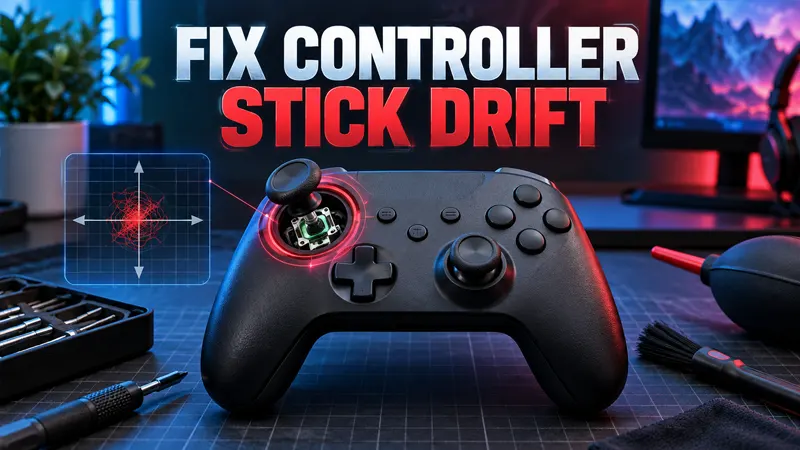
Updated September 21, 2026. A reliable controller stick drift fix can stop unwanted movement without forcing you to replace an otherwise good gamepad. Start with calibration and cleaning, then move to repair only if the safer software steps fail.
Controller Stick Drift Fix: What Causes It?
Stick drift happens when a controller reports movement even though the analog stick is centered. In games, a character may walk alone, a camera may slowly rotate, or menus may scroll without input. Dust, worn sensor tracks, damaged springs, outdated firmware, and incorrect calibration can all create similar symptoms.
Before opening anything, test the controller in more than one game. A single title may use a very small dead zone or have its own input bug. If the problem appears everywhere, work through the following solutions in order.
9 Safe Controller Stick Drift Solutions
- Restart and reconnect the controller. Turn the controller off completely, restart the console or PC, then pair it again. This clears temporary connection and input-state problems.
- Install controller firmware updates. Connect the gamepad by USB and use the official console or manufacturer utility. Firmware updates can correct calibration, wireless stability, and compatibility problems.
- Reset the controller. Some models include a recessed reset button. Use the official instructions for your exact model, then pair the controller again. A reset does not repair worn hardware, but it can remove corrupted settings.
- Test the analog sticks. On PC, open the operating system’s game-controller panel or a trusted input tester. Move each stick in a full circle and release it. A resting point that remains far from center confirms measurable drift.
- Increase the in-game dead zone slightly. Raise the affected stick’s dead-zone value one step at a time until movement stops. Keep the value as low as possible so aiming still feels responsive.
- Clean around the stick safely. Power the controller off. Rotate the stick and use short bursts of compressed air around its base. Wipe the exterior with a dry microfiber cloth. Never pour liquid into the controller.
- Try a wired connection. If the problem only appears wirelessly, test with a known-good data cable. Wireless interference or a weak battery can sometimes feel like inconsistent input rather than true drift.
- Check the warranty. Look up the serial number and purchase date before opening the shell. Manufacturers may repair or replace drifting controllers, while self-repair can affect warranty coverage.
- Use professional repair or replace the module. A worn potentiometer or damaged stick module requires hardware work. Soldered replacements are best handled by an experienced technician unless you already have the proper tools and skills.
How to Test Stick Drift Accurately
Remove accessories and use a neutral testing environment. On PC, press the controller’s buttons and move both sticks through their full range. When released, the crosshair or axis value should return close to center and remain stable.
Small fluctuations are normal because analog components are not perfectly still. The practical question is whether the movement exceeds a game’s dead zone. Test slowly, repeat the motion several times, and compare the left and right sticks.
Best Dead-Zone Setting for Stick Drift
There is no universal number. Competitive shooters often use small dead zones for faster aim, while racing and adventure games can tolerate a higher value. Increase the setting until unwanted movement stops, then test fine aiming and slow camera movement.
A very large dead zone hides symptoms but reduces control precision. If the value must be raised dramatically, the controller probably needs repair rather than another settings change.
Cleaning Mistakes to Avoid
Do not spray household cleaner, water, or lubricant into the stick opening. Avoid blowing with your mouth because moisture can enter the controller. Do not force the stick beyond its normal range, and do not repeatedly strike the gamepad to make the drift disappear temporarily.
Compressed air should remain upright and be used in short bursts. If a product is not specifically approved for electronics, keep it away from internal parts. Cleaning can remove debris, but it cannot rebuild a worn sensor.
When Stick Drift Is a Hardware Problem
Drift that returns immediately after calibration and cleaning usually points to mechanical wear. Other signs include rough movement, a stick that does not spring back consistently, or axis readings that jump sharply during a slow circle.
Replacing a complete analog module often requires disassembly and soldering. Get a repair quote first and compare it with the controller’s replacement cost. Premium controllers may also support replaceable stick modules, making repair easier.
How to Prevent Future Controller Drift
Store the controller in a clean, dry place and avoid leaving pressure on the sticks. Wash and dry hands before long sessions, keep food away from the gamepad, and transport it in a case. Use normal force during clicks and rapid movements.
Regularly updating firmware and checking calibration can reveal a small problem before it becomes disruptive. For more practical hardware and platform help, browse the GameWilds Guides section. Microsoft also provides official controller warranty guidance, while PlayStation owners can use official DualSense troubleshooting.
Frequently Asked Questions
Can controller stick drift be permanently fixed?
Software calibration and cleaning may solve minor cases. Worn internal sensors normally require professional repair or module replacement for a lasting fix.
Does increasing the dead zone damage anything?
No. It only tells the game to ignore a larger area around the stick’s center, although an excessive value makes control less precise.
Should I open a controller under warranty?
Usually not. Check the manufacturer’s terms and request service first because opening the controller may affect coverage.
Can drift affect only one game?
Yes. A game may use unusually sensitive dead-zone settings. Test several titles or an input-testing tool before diagnosing hardware failure.
This controller stick drift fix sequence begins with reversible steps and saves invasive repair for last. If calibration, cleaning, and firmware updates do not help, warranty service is the safest next move.