Roblox BlockSpin Codes (May 2026) – GameWilds
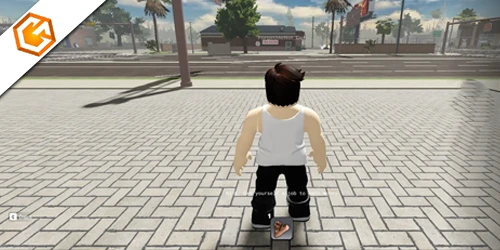
Find all active Roblox BlockSpin codes, free cash rewards, how to redeem codes, and why some codes may not work. Updated regularly.
Table of Contents
Looking for the latest Roblox BlockSpin codes this April 2026? You can grab a quick boost with active referral codes that drop instant cash, but there are limits and some pitfalls to avoid. You’ll also want to know which codes just expired after the recent update and how to fix common redemption errors. If you’re after reliable sources and step-by-step tips, you’re in the right place—let’s make sure you don’t miss any rewards.
All Active Roblox BlockSpin Codes
Use these Roblox BlockSpin codes to get free in-game cash instantly. Each referral code below rewards 500 Cash for new players. You can redeem only one referral code per account, so choose carefully.
| Code | Reward | Status |
|---|---|---|
| 2UFU96 | 500 Cash (New Players Only) | Active |
| 7AVJ0M | 500 Cash (New Players Only) | Active |
| W7C28D | 500 Cash (New Players Only) | Active |
Expired Roblox BlockSpin Codes
The following Roblox BlockSpin codes are confirmed expired and no longer grant rewards. If you try to redeem them, you’ll receive no cash. Always double-check that you’re using active referral codes before entering them.
| Code | Status |
|---|---|
| M16_RELEASE | Expired |
| MZL229 | Expired |
| 842E40 | Expired |
| 7ST8X6 | Expired |
| EVERYTHING_10 | Expired |
| BJZ9C1 | Expired |
| C5026Q | Expired |
| I70IIH | Expired |
| H268YH | Expired |
| 03TCW4 | Expired |
| 19OC9L | Expired |
| EJ48MA | Expired |
| 4B5D16 | Expired |
| WY5895 | Expired |
| AUS7P3 | Expired |
| 3XQ47A | Expired |
How to Redeem Roblox BlockSpin Codes
Redeeming Roblox BlockSpin codes is done directly inside the game. Launch BlockSpin, open the right-side menu (the shapes icon), then tap the Codes button to access the redemption window.
Paste a valid BlockSpin code into the text box and press Redeem. If the code is active and hasn’t been used on your account, your reward will be added instantly. Keep in mind that referral codes can usually only be redeemed once per account.
Redeem Codes In-Game
After opening the Codes window, carefully copy and paste a working code to avoid typos. Codes may fail if they are expired, already redeemed, or entered with extra spaces. If the redeem button does not respond, restart the game and try again.
Since Roblox BlockSpin codes can expire quickly, it’s best to redeem them as soon as you find them and check back regularly for new rewards.
How to Get More Roblox BlockSpin Codes
New Roblox BlockSpin codes are usually released during game updates, milestone celebrations, and special events. To stay updated, follow the official BlockSpin game page and join the game’s community channels where developers announce new rewards.
You can also generate and share your own referral codes inside the game through the Codes menu. Sharing referral codes with friends may unlock additional rewards depending on the current promotion.
Since Roblox BlockSpin codes can expire without notice, check back regularly for updated codes and redeem them as soon as they are released.
Why Are My Roblox BlockSpin Codes Not Working?
If your Roblox BlockSpin codes are not working, there are a few common reasons. The code may have expired, already been redeemed on your account, or been entered incorrectly.
Make sure you copy and paste the code exactly as shown, without extra spaces or missing characters. Even small typos can cause an “invalid code” message. Keep in mind that referral codes are usually limited to one use per account.
If everything looks correct and the code still fails, the reward may have been disabled or limited to a specific event. In that case, check for newly released Roblox BlockSpin codes and try again with an active one.
Frequently Asked Questions
Do Blockspin Referral Codes Stack With Other In-Game Boosts or Passes?
Yes, referral codes typically grant standalone cash rewards and don’t stack multiplicatively with boosts or game passes. You can still use boosts alongside them, but you’ll just receive each benefit separately. Check in-game descriptions or patch notes for confirmations.
Can I Transfer Blockspin Cash From Referrals Between Alt Accounts?
No, you can’t transfer BlockSpin cash between alt accounts. Each account’s referral rewards stay locked. If you want funds elsewhere, redeem codes directly on that account or trade via allowable in-game mechanics, respecting Roblox’s terms.
Is There a Daily Limit on How Many Referral Codes I Can Enter?
No, you won’t face a daily limit on entering referral codes. You can redeem them anytime through the blocks menu. Still, double-check in-game prompts, follow official channels for updates, and report issues if entries don’t register.
Do Codes Grant Any Cosmetic Items or Only In-Game Cash?
They only grant in-game cash, not cosmetics. You’ll redeem them through the blocks menu, and they don’t expire. If that changes, you’ll see updates on the official channels. Share discoveries so others can benefit, too.
Where Can I Report a Bug With the Blockspin Code Entry Menu?
Report it on the official BlockSpin Discord’s bug-report channel, and tag staff if needed. You can also DM Cinnamon Softwares on X with details, screenshots, and steps to reproduce. In-game support forms help, too.
Conclusion
You’ve got everything you need to snag quick BlockSpin cash and start spinning smarter. Redeem one active referral code—like 2UFU96, 7AVJ0M, or W7C28D—for a 500 cash boost, then keep an eye on the in-game Codes tab, the BlockSpin Discord, and Cinnamon Softwares’ X for fresh drops. If a code fails, double-check spelling, confirm it’s active, and try again. Don’t wait—codes expire fast. Jump in, redeem, and maximize your BlockSpin progress today.
Looking for more rewards and updates? Browse all our Roblox guides and codes to find the latest freebies, tips, and active promo codes across your favorite Roblox games.
