Brawl Stars QR Codes: Free Rewards & How to Use Them – GameWilds
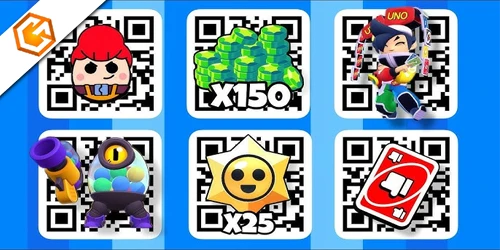
Brawl Stars QR codes explained: how they work, what rewards you can get, where to find official QR links, and how to scan them safely.
Table of Contents
If you’ve seen Brawl Stars QR codes promising free skins, pins, or coins, you might wonder which ones actually work and how to use them safely. You can scan them in-game for instant rewards, but there are a few pitfalls to avoid. Knowing where official codes appear, how long they last, and what to do if they fail can save you time—and your account. Here’s what matters before you point your camera.
What Are Brawl Stars QR Codes?
Kick things off by thinking of Brawl Stars QR codes as official, scannable shortcuts to rewards. You’re looking at square images issued by Supercell that unlock in-game goodies—skins, pins, coins, or even event passes—when you scan them with the game’s built-in QR feature. They’re designed for quick, secure redemption and tie directly to your account.

Each code is typically single-use and may be region- or account-specific, so once you redeem it, no one else can. You’ll see them dropped on Brawl Stars’ social media, livestreams, promotional events, and partner giveaways, often for a limited time. Because scammers mimic real codes, you should only trust official sources. Third-party or altered images can be invalid, expired, or malicious, wasting time and risking your account’s security.
How to Use Brawl Stars QR Codes
You’ll scan Brawl Stars QR codes right in-game: open Settings (top-right), tap QR code, then point your camera or import from your gallery to redeem. Make sure you’re on the correct Supercell ID, since most codes work once per account and may expire or be region-limited. If you can’t scan, check for a manual code entry option in the same menu or use any provided alphanumeric code field when available.
Scan Brawl Stars QR Codes In-Game
Start by launching Brawl Stars, tapping the gear-shaped settings icon, and selecting Scan QR code to open your camera. Center the code in the on-screen frame; good lighting and a steady hand help the scanner lock on quickly. Fill most of the frame with the QR, but don’t crop edges.
- Keep the code flat, unwrinkled, and not glossy.
- Clean your lens and avoid glare.
- Try small distance and angle adjustments.
| Frame | Light | Reward |
|---|---|---|
| Crisp edges | Bright, even | Skins |
| Full code | No glare | Coins |
| Steady hold | Natural light | Gems |
When the code is valid and active, the reward redeems instantly to your account. If it doesn’t scan, tweak focus, angle, or distance. If it scans but fails, watch for error messages (expired, used, invalid) and contact Brawl Stars support with a screenshot.
Can You Enter Brawl Stars QR Codes Manually?
Scanning in-game works great, but you can also enter Brawl Stars QR rewards manually when the camera won’t cooperate. Open Settings, head to Support & FAQ, or tap the camera icon on eligible reward screens. If scanning fails, select the code entry option and type the alphanumeric code exactly as shown—Brawl Stars treats it as case-sensitive, so double-check every character.
- 1. Confirm you’re on the official redemption screen in-game; avoid third-party sites to prevent scams.
- 2. Check the promo’s expiration date and any region limits before redeeming.
- 3. Ensure your game is updated and you’re logged into the correct Supercell ID.
- 4. Remember each QR/manual code is single-use per account.
If redemption errors persist, the code may be claimed or disabled by Supercell.
What Rewards Do Brawl Stars QR Codes Give?
Think quick-hit loot drops: Brawl Stars QR codes most often grant limited-time cosmetics—skins, pins, and themed bundles—plus occasional coins or small Gem amounts. You’ll usually see event-tied cosmetics that refresh your look without touching gameplay balance. Some collaboration or creator codes unlock unique skin variants or preview cosmetics you can’t earn through normal progression, making them collectible standouts.
While rarer, currency drops do happen. Past codes have delivered coin packs or 10–50 Gems, handy for small shop purchases. Event and convention QR codes from Supercell-run shows can grant instant, exclusive rewards the moment you scan.
Once you scan, the item claims immediately, lands in your inventory, and binds to your account. There’s no trading or gifting—what you redeem stays with you.
Where to Find Official Brawl Stars QR Codes
You’ll find official QR drops during Supercell events and promotions, including the in-game News tab, esports broadcasts, and limited-time announcements. Follow Brawl Stars’ verified accounts and partnered creators on Twitter/X, Instagram, YouTube, and livestreams for timed codes. Always check the source and details like expiry and region before you scan.
Supercell Events and Promotions
Keep an eye out at official Supercell events—Brawlidays, the World Championship, and community meetups—where the team drops time-limited Brawl Stars QR codes for skins, pins, or currency. You’ll often find codes on-stage, on broadcast overlays, or printed on promo cards at booths during conventions like Gamescom and PAX. Supercell announces timing and locations in advance through in-game news, the official Discord, and subreddit, including scanning windows and redemption deadlines. Watch live segments during esports streams to catch short-lived codes before they expire, and only scan from verified Supercell sources to avoid scams.
- Arrive early to booths; physical handouts go fast.
- Monitor in-game news for exact drop windows.
- Keep the scanner ready during live match breaks.
- Verify logos and official links before scanning.
Partnered Creators and Social Media
Start by zeroing in on official channels: the Brawl Stars Twitter/X (@BrawlStars), Instagram (@brawlstars), and the Supercell blog regularly share verified QR codes and announce partner drops. Follow, enable notifications, and check recent posts and stories when events go live.
Next, track partnered creators—top eSports teams, verified streamers, and event hosts. They often reveal time-limited QR codes during official livestreams, tournaments, or collaboration segments. Watch for pinned posts, on-screen flashes, and live chat links.
Always verify authenticity. Confirm the partnership via the official Brawl Stars website or community news pages, and ensure the creator’s account is verified or listed in Supercell’s partner roster.
Don’t miss cross-posts: partners frequently add QR codes to YouTube video descriptions and Discord servers. Turn on alerts, note region locks and timers, and redeem fast.
Do Brawl Stars QR Codes Expire?
Although a few rare, account-linked QR codes don’t expire, most Brawl Stars QR codes are time-limited and will stop working after the promotion or event ends. Supercell usually prints a validity window on the announcement. If you don’t see one, assume it’s temporary and redeem right away. When a code expires, the scanner typically shows “invalid” or “expired,” and you can’t claim it later. Some rewards also end early once their redemption cap is hit, even before the posted deadline.
To stay ahead, follow these quick checks:
1) Look for an official end date or validity window.
2) Redeem immediately when you spot a new drop.
3) Expect capped codes to die early after quotas fill.
4) Treat community-shared codes as temporary unless Supercell says permanent.
Are Brawl Stars QR Codes Safe?
You can avoid fake Brawl Stars QR codes by sticking to official Supercell channels and verified creator posts. Always check that redemption stays inside the Brawl Stars app and that any link uses a Supercell-owned domain (like supercell.net). If a code asks for your Supercell ID, passwords, verification codes, or a download, don’t proceed.
How to Avoid Fake Brawl Stars QR Codes
While most Brawl Stars QR codes are safe when they come from Supercell, scams thrive elsewhere, so treat every code with skepticism. Stick to official sources: in-game events, verified social media, and emails from @supercell.com. Codes on random sites or unofficial Discords are usually fake. Never enter your Supercell ID password, personal info, or payment details to redeem a code—Supercell won’t ask.
- Verify the source: check Supercell’s channels or partnered creators. If it isn’t announced there, skip it.
- Inspect the flow: legit codes open the in-game redeem screen, not third-party pages or app installs.
- Research fast: search the QR image/text on Reddit or Supercell forums for scam reports.
- Trust your gut: “free legendary brawler” or huge gem promises are classic phishing bait.
When unsure, don’t scan.
Frequently Asked Questions
How to Get 10,000 Gems in Brawl Stars?
You can’t legitimately get 10,000 gems instantly. You’ll need to buy multiple large gem packs, wait for official discounts, or redeem verified promotions. Avoid “free gem” scams. Budget, track events, and accumulate gradually through sanctioned offers and creator giveaways.
Are There Free Codes in Brawl Stars?
Yes—there are, but they’re limited-time. You’ll catch them on official Brawl Stars channels, in-game announcements, events, or verified creators. Redeem fast in the shop or redemption section. Avoid “generator” scams; expired, used, or region-locked codes won’t work.
How to Claim 100 Free Starr Drops?
Open Brawl Stars, tap the gear icon, choose QR Codes, then scan Supercell’s official 100 Starr Drops image and confirm. Update the game, act before expiry, verify sources, and troubleshoot internet, cache, or redemption status if it fails.
How to Get 500 Credits in Brawl Stars for Free?
Scan an official Supercell QR code during events to redeem 500 Credits. Open Brawl Stars, tap the QR scanner in settings or shop, scan, and confirm. Follow official channels, act fast, stay logged in, and avoid scams or third-party links.
Conclusion
You’ve got everything you need to grab quick Brawl Stars rewards safely. Stick to official QR codes from Supercell and trusted creators, then scan them in Settings to redeem instantly. Watch for expirations, limited drops, and region locks, and don’t share codes from shady sites. If a legit code doesn’t work, contact support with screenshots. Stay alert, scan smart, and you’ll scoop up skins, pins, and coins without risking your account. Ready to claim your next freebie?