Clash Royale Codes (May 2026) – GameWilds
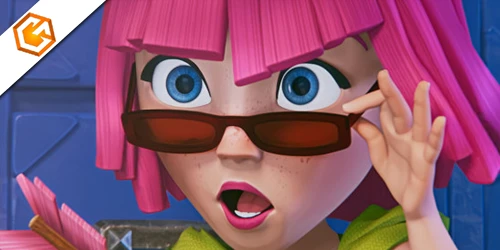
Latest Clash Royale codes, QR codes, and official reward offers updated for May 2026.
Table of Contents
Looking for a working Clash Royale redeem code? You can grab free emotes, banner decorations, and more if you know where to check and how to claim them fast. You’ll sign in with Supercell ID, paste the exact code, and your rewards land right away or on your next login. But not every code works for every account, and timing matters. Here’s what’s live this month—and the traps to avoid before you miss out.
Latest Clash Royale Redeem Code (April 2026)
Here are the currently active Clash Royale redeem codes for April 2026. These codes may expire at any time, so availability can change without notice.
| Code | Reward | Status |
|---|---|---|
| ROYALEAFFAIR | Royale Affair Goblin Emote | Active |
| FIREANDICE | Ember Escape Banner Decoration + Firestorm Banner Frame | Active |
| TRUSTYTURRET | Hero Musketeer Emote | Active |
| WHENHOGSFLY | Flying Royal Hogs Emote | Active |
| REINABARRIGA | Snoring Dragon Banner Set | Active |
Looking for more Clash Royale redeem code updates? This list is refreshed regularly to reflect the latest available promotions.

Clash Royale QR Codes & Free Rewards
Clash Royale QR codes link directly to official Supercell Store reward pages. Instead of entering a clash royale redeem code manually, you scan or tap a QR link and claim the reward while logged into your Supercell ID.
QR rewards rotate regularly and are often used for limited-time promotions, including emotes, banner frames, gold, and special cosmetics.
| QR Code | Reward | Status |
|---|---|---|

|
Skeleton Emote Clash Royale | Active (New) |

|
Snowcapped Summit Banner | Active |

|
Creator Showdown Magic Lucky Chest | Active |

|
Mr Brightside Banner | Active |

|
Showdown Two Magic Lucky Chests | Active |

|
Showdown Two More Magic Lucky Chests | Active |

|
Magic Lucky Chest | Active |

|
1,000 Gold | Active |

|
Hot Hog Balloon Banner Frame | Active |

|
Hamelia Hoghart Banner Decoration | Active |

|
67 Emote | Active |

|
Royal Ghost Boo Emote | Active |
- QR offers change frequently and may expire without notice.
- You must be logged into the correct Supercell ID.
- Rewards usually appear instantly or after your next login.
- Only use official Supercell pages to avoid fake links.
How to Redeem a Clash Royale Redeem Code
To redeem a clash royale redeem code, log into your Supercell ID and visit the official Clash Royale Supercell Store.
Scroll to the Clash Royale section and select Redeem a Store Code. Enter one code at a time and confirm your submission.
If your reward does not appear, verify that the same Supercell ID is connected in both the store and the game. Always use official store pages and avoid third-party sites.
Expired Clash Royale Redeem Code List
The following Clash Royale redeem codes are no longer valid. These promotions have officially ended and will return an invalid message if used.
| Code | Status |
|---|---|
| BLOWTHEMAWAY | Expired |
| ANGRYFURNACE | Expired |
| FIREFIREFIRE | Expired |
| ONEMAGICGIFT | Expired |
| SHARETHEGOLD | Expired |
Clash Royale redeem codes rotate frequently. Before trying a code, always confirm that it is still active. Expired codes cannot be restored once removed from the Supercell Store.
- Always check the latest verified update date.
- Use official Supercell pages to confirm validity.
- Redeem active codes promptly before they expire.
Why Some Clash Royale Redeem Code Entries Don’t Work
Even when you do everything right, Clash Royale codes can fail for simple reasons: you’re logged into the wrong Supercell ID, you mistype a character (including case or punctuation), the promo’s expired or already claimed, or you tried before finishing the tutorial. Because rewards attach to the active Supercell ID, verify the email shown in the Supercell Store before submitting. Enter the code exactly as provided—watch for extra spaces, hyphens, and symbols like ! or !! that some promos require.
If a valid code still errors, check whether it’s past its expiration or already used on your account. Wait for the Supercell Store to fully load before redeeming. Regional or platform restrictions may block redemptions, and temporary store outages or maintenance can also cause failures.
How to Get More Clash Royale Redeem Code Rewards
If a code fails, fix the basics—then focus on finding more. After logging into the Supercell Store with your Supercell ID, check “Redeem a Store Code,” enter any active code, confirm the reward and account, then return to the game. To consistently stack rewards, track official drops, scan verified QR codes, and act before offers expire.
Log in, redeem active codes, confirm rewards—then chase official drops and QR scans before they vanish.
- Follow Clash Royale’s social channels and TV Royale on YouTube to catch new codes the moment they appear.
- Scan official QR codes (e.g., 1,000 Gold or banner items) from verified pages on your device for instant claims.
- Enter active store codes like ROYALEAFFAIR, FIREANDICE!!, TRUSTYTURRET, WHENHOGSFLY!, REINABARRIGA.
- Use Creator Codes to support creators; watch their posts for exclusive promos.
- Check Supercell Store promotions and Bonus Track pages for time-limited freebies.
Frequently Asked Questions
Does Clash Royale Have Redeem Codes?
Yes, it does. You can redeem promo and QR codes for in-game rewards. Log into the official Supercell Store with your Supercell ID, use “Redeem a Store Code,” confirm rewards, and watch for new, time-limited codes and QR offers.
How to Claim Free Items in Clash Royale?
You claim free items by logging into your Supercell ID, visiting the official Supercell Store, selecting Redeem a Store Code, entering a valid code, confirming the account, then returning to the app. Scan official QR links, not creator codes.
How to Use Cheat Codes in Clash Royale?
You can’t use cheat codes in Clash Royale. Instead, you redeem official Supercell Store promo or QR codes. Log in with your Supercell ID, enter a valid code, confirm, then reopen the game. Avoid scams; codes expire.
How to Get Free Ice Golem Emote?
You can’t claim a free Ice Golem emote right now. Log into the Supercell Store, try current emote codes individually, then relaunch. Check official X, TV Royale, and Store QR sections frequently; new, time-limited Ice Golem drops may appear.
Conclusion
You’re now set to snag free Clash Royale goodies fast. Keep an eye on the latest codes and QR drops, redeem them through the Supercell Store with your Supercell ID, and double-check spelling and case to avoid errors. If a code fails, it’s likely expired, region-locked, or tied to the wrong account—try another. Follow official channels for fresh rewards, act quickly before codes lapse, and log back in if items don’t appear right away. Happy clashing!