Free PSN Codes & Gift Card Codes: Legit Ways – GameWilds
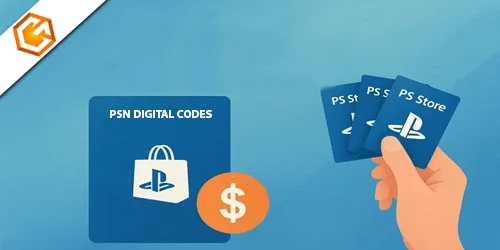
Free PSN codes and PSN gift card codes explained. Learn legit ways to get PlayStation credit, redeem PSN codes, and avoid common scams.
Table of Contents
Free PSN codes can seem like an easy way to add wallet funds, games, or PlayStation Plus time without paying, but you need to know which offers are real and which ones put your account at risk. You can find legitimate codes through official promotions, reward programs, and verified giveaways, yet many sites push fake generators or surveys designed to trap you. Before you claim anything, there’s a key difference you should spot first.
What Are Free PSN Codes?
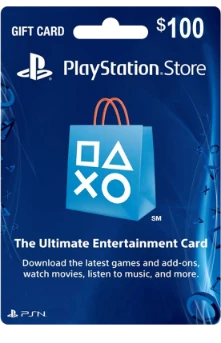
Free PSN codes are alphanumeric vouchers, usually 12–16 characters long, that you can redeem on the PlayStation Store for wallet credit, games, or PlayStation Plus time on your PSN account. When you enter one, you add value directly to your wallet or activate a subscription tied to your account. These free psn codes work like digital store credit, but they must match your account’s region to redeem successfully.
You’ll also see them called free psn gift card codes . Legitimate codes may come from official promotions, PlayStation Stars, verified giveaways, or reward platforms. To check whether a code works, redeem it through your console or the official PlayStation Store website. You should never share your login, payment details, or personal information with unknown websites offering codes online.
Can You Really Get Free PSN Codes?
Yes—you can get free PSN codes sometimes, but not in the unlimited, effortless way many websites claim. If you see promises of endless credit, assume they're false. Real offers are limited, usually tied to official PlayStation promotions or verified giveaway events. So, can you really get them? Sometimes—but only in specific, controlled situations.
You should ignore PSN code generators because they create fake codes that won't work. Be careful with pages pushing surveys, app downloads, or requests for account or payment details; those tactics often signal scams, malware, or phishing. If you're searching for free psn codes legit methods or hoping for free psn codes without survey, verify every offer through PlayStation's official channels first. You can protect your wallet, privacy, and account by treating unlimited-code claims as red flags always.
Legit Ways to Get Free PSN Codes
You can get free PSN codes through official PlayStation promotions, trusted reward and cashback programs, and verified giveaways or community events. Start with Sony channels like PlayStation Stars, then use reputable platforms that let you trade points for PSN gift cards. If you stay with official sources and legit partners, you’ll protect your account and avoid scam code generators.
Official PlayStation Promotions
Although shady “code generators” crowd search results, the safest way to get PSN credit is through official PlayStation promotions and trusted rewards programs. You should watch PlayStation’s verified channels, including the PlayStation Blog and @PlayStation social accounts, where Sony sometimes runs giveaways offering wallet codes or PlayStation Plus trials. If you want free psn codes playstation offers, stick to these confirmed sources.
You can also use PlayStation Stars if you’re eligible. It awards points for purchases and campaigns, often around 100 to 500 points, which you can exchange for wallet funds or digital collectibles. For bonus value, check official listings from retailers like Amazon, Best Buy, or GameStop, since some purchases include bundled PSN credit. Before you free psn codes redeem, verify terms, code values, and redemption instructions carefully.
Reward and Cashback Programs
Several legit reward and cashback programs may assist you in earning free PSN codes without risking your account on shady generators. Start with PlayStation Stars, where you earn points through purchases and trophy milestones, then redeem them for wallet funds. It’s one of the safest answers to free psn codes how to get.
You can also use reputable reward sites like Swagbucks, InboxDollars, and PrizeRebel. By completing surveys, offers, or small tasks, you build enough points to redeem PSN gift cards, usually after reaching $5 to $25. Cashback platforms like Rakuten or Honey can help too, since you can turn shopping rewards into digital gift cards when available. If you want free psn codes playstation store options, stick to verified platforms and avoid sharing sensitive personal or payment details online.
Giveaways and Community Events
Keep an eye out for legitimate giveaways and community events, since they can be one of the safest ways to score free PSN codes without risking your account. You should follow PlayStation’s official social accounts and Blog, because timed contests sometimes award wallet credit or subscriptions. Trusted creators on YouTube and Twitch also host milestone or charity raffles with small PSN prizes.
- Follow @PlayStation, turn on notifications, and check verified retailer promotions.
- Join trusted Discord servers, subreddit contests, and creator livestream giveaways.
- Avoid any free psn codes generator, and stick to secure free psn codes ps4 ps5 opportunities.
You can also enter publisher or store promotions from GameStop, Best Buy, or Ubisoft, especially during holidays. Always read terms, confirm region limits, and verify moderators or hosts before you participate online.
PSN Code Generators: Are They Safe?
While PSN code generators may look like an easy shortcut to free PlayStation credit, most don’t create valid, redeemable codes and often exist to push surveys, downloads, or scams. If a site promises unlimited codes, you should assume risk first, not reward. Many are built to collect your data, expose you to malware, or compromise your account through phishing tricks.
You can spot unsafe generators by the red flags they use. If they ask for your PSN login, payment details, app installs, or suspicious “offers,” leave immediately. Fake trust badges and countdown timers also signal trouble. Instead of trusting random generator sites, stick with official PlayStation promotions, verified Sony social giveaways, or reputable reward platforms. You’ll protect your account, devices, and personal information better that way.
How to Redeem Free PSN Codes
Redeeming a free PSN code is straightforward once you know where to go. On PS5, open Settings, choose Users and Accounts, then Payment and Subscriptions, and select Redeem Code. Enter the 12-digit code and confirm. On PS4, sign in, open PlayStation Store, scroll to Redeem Codes, enter the 12-character code, and press Continue.
- On a browser, visit store.playstation.com, sign in, open your profile, choose Redeem Codes, and confirm.
- Make sure your code’s region matches your PSN account, since US codes won’t work on non-US accounts.
- If the code fails, recheck characters like O and 0 or I and 1 before contacting PlayStation Support.
Once accepted, your wallet funds, game content, or membership should appear immediately in your account. Check subscription compatibility if issues continue.
Tips to Avoid PSN Code Scams
Although free PSN code offers can look tempting, you should treat any site, app, or social post that promises “unlimited” codes with immediate skepticism. Don’t trust offers that demand paid surveys, suspicious downloads, or endless tasks, because they often hide phishing attempts or malware.
You should verify every giveaway through official PlayStation social channels and the PlayStation Blog. Legit promotions won’t ask for your password, credit card, or two-factor authentication codes. Never enter PSN credentials into third-party generators or random forms. Check a site’s domain age, HTTPS setup, and user reviews before you interact with it; scam pages often use brand-new domains and collect negative reports quickly. Redeem codes only through the PlayStation Store or account settings, and treat codes from strangers as risky. Test questionable ones on a secondary account.
Final Thoughts on Free PSN Codes
If you want free PSN codes, focus on legitimate paths and ignore anything that promises unlimited, guaranteed results. You’ll protect your account, your privacy, and your time by sticking with trusted sources instead of chasing fake generators or shady task pages.
- Use PlayStation promotions, PlayStation Stars, and verified giveaways first.
- Try reputable reward platforms like Swagbucks that disclose terms and payouts.
- Never enter account logins or payment details into third-party code tools.
Most online generators only create random, PlayStation-style codes for fun, not real credit. Many “simple tasks” lead you into surveys, app installs, data harvesting, or surprise subscriptions. You should verify every offer through Sony’s official channels before you act. In the end, smart caution gives you the best chance to earn legitimate PSN credit safely and avoid costly mistakes online.
Frequently Asked Questions
How Can I Get Free PSN Cards?
You can get free PSN cards through PlayStation Stars, official promotions, verified giveaways, and reputable rewards sites like Swagbucks. You should avoid generators or shady links, protect your account, and stick to trusted sources only.
Is Sony Giving PS5 Users $30 Free Gift?
No, you shouldn't expect a universal $30 gift from Sony for PS5 users. You'll see legitimate credits only through official PlayStation announcements, your wallet history, or emails from @playstation.com—not third-party sites or generators.
Is PS Plus Still $10 Dollars?
No, you can't assume PS Plus still costs $10. You’ll usually pay $9.99 monthly for Essential in the U.S., while Extra and Premium cost more. Prices vary by region, promotions, and longer subscription plans.
Is There a $20 PS4 Gift Card?
Yes, you can buy a $20 PS4 gift card. You'll find digital or physical PlayStation Store cards at Sony and retailers like Amazon, Best Buy, Walmart, and GameStop. Check official sellers, and avoid sketchy code offers.
Conclusion
Free PSN codes can be real, but you should stick to legit sources like PlayStation promotions, trusted rewards programs, and verified giveaways. Don’t trust generators, shady links, or anyone asking for your password. Always check your account region and redeem codes through official PlayStation channels. If you stay cautious, you can enjoy extra wallet funds, games, or PS Plus without risking your account, personal info, or device security. Smart choices will keep your gaming experience safe and rewarding.