Riot Code Redemption: How to Redeem Riot Codes – GameWilds
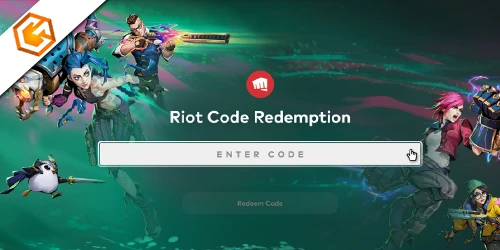
Riot code redemption guide covering gift cards, promo codes, Riot Points, Valorant codes, and common redemption errors.
Table of Contents
You redeem Riot codes to add RP, VP, or specific content to the Riot account you’re signed into, usually through the official redemption page or inside Valorant and League of Legends. You’ll want to copy the code exactly, since a single extra space can break it, and some cards won’t work outside their region or before activation. When it fails, the error message matters more than you think—and it determines your next move.
What Is Riot Code Redemption?
Riot Code Redemption boils down to using Riot’s official redemption portal (https://shop.riotgames.com/redeem/ ) to add RP/VP or in-game content—like skins, cosmetics, or player cards—to your Riot account. For riot code redemption, you log in, paste your riot redeem code, and confirm so the rewards attach to that exact account.
You must type the code exactly as shown, with no extra spaces or changed characters. When you complete riot gift card redemption, remember cash codes are region-locked to where you bought them, while most content codes work across regions. Every riot points code is single-use and can’t be split, and you can’t re-redeem owned items for refunds. If you can’t redeem riot code online, wait 24 hours, then contact Player Support with the full code and receipt.
Types of Riot Codes (Cash, Content, Promotional)
Know what you’re holding before you redeem it, because Riot codes fall into three distinct buckets—cash (prepaid/gift) codes, content codes, and promotional codes—and each behaves differently. Cash codes top up Riot Points or game currency on one account, can’t be split, don’t expire, and are region-locked to where you bought them; that’s why riot prepaid card redeem can fail if your account region doesn’t match. Content codes grant access to one specific cosmetic (skin, spray, player card), and they’re single-use—if you already own it, you typically can’t claim it again. Promotional codes are free, event-tied rewards that often expire. In riot code redemption, most issues come down to typos, unactivated retail codes, or previously used codes—classic riot code not working cases.
How to Redeem Riot Gift Cards
To top up your balance with a gift card, head to https://shop.riotgames.com/redeem, sign in to the Riot account that should receive the funds, and enter the prepaid code exactly as shown (no extra spaces) to confirm redemption. Gift cards act like a riot cash code and are region-locked to the purchase country, so you can’t split value across accounts or games. Physical cards use scratch-off PINs; digital orders send codes by email/text—save the card and receipt for Support. For in-client flows, use valorant code redemption (VP icon → Prepaid Cards & Codes) or the league of legends redeem code option in Store, then confirm the game before finishing.
- Check your account and region.
- Enter the code carefully.
- Restart if rewards lag (up to 24h).
- If “not activated/already redeemed,” wait, then contact Support. Avoid using any riot content code or riot promo code here.
How to Redeem Riot Promotional Codes
Gift cards add wallet value, but promotional codes usually release a specific reward tied to an event or campaign. To redeem one, go to https://shop.riotgames.com/redeem, sign in to the Riot account you want to receive the reward on, then type the code exactly as shown with no extra spaces. Click Redeem and confirm the result. Remember: one code redeems once, to one account and one game, and you can’t split, duplicate, or transfer it after it succeeds. Most content codes work across regions, but some don’t, so match any region or platform requirements. If redemption fails, recheck typos, confirm activation, wait 24 hours, then submit a Player Support ticket with the full code and receipt. Keep the card or delivery email.
Riot Code Redemption for Valorant
Most Valorant codes redeem in under a minute when you sign into the Riot account you play on and enter the code exactly as shown (no extra spaces). Redeem on the official portal at https://shop.riotgames.com/redeem, or do it inside Valorant for speed. Either way, the VP or item applies only to that one account, so double-check you’re on the right login. Use this quick flow:
- Open Valorant and click the VP icon (top right).
- Choose Prepaid Cards & Codes.
- Paste the code, accept any consent box, and hit Submit.
- Restart the client if rewards don’t show immediately.
Prepaid cash codes are region-locked; many content codes work cross-region but are single-use and often timed. If it fails, recheck typos, wait 24 hours, then contact Player Support with receipt.
Riot Code Redemption for League of Legends and TFT
League of Legends and Teamfight Tactics use the same straightforward in-client flow for redeeming Riot codes, so you don’t need to leave the game. Open the Store, click the Account tab, choose Redeem Codes, type the code exactly as shown (no extra spaces), and hit Submit.
Common Riot Code Redemption Errors and Fixes
When your Riot code won’t redeem, the error message usually points to a specific fix you can try right away. Use the official Riot redemption portal, then match the error to the step below.
- “Does Not Appear to Be Valid”: Retype the code exactly as shown (no extra spaces or dashes). If it was just issued, wait up to 24 hours and try again.
- “Not Properly Activated”: Your gift card wasn’t activated at checkout—return to the retailer with your receipt and ask them to activate it.
- “Already Been Redeemed”: Check your account purchase/redemption history. If it wasn’t you, contact the seller and Riot Support with proof of purchase.
- Region/limits: Confirm the card’s region matches your account. If you hit attempt limits, wait 24 hours, then ticket Support with code, receipt, Riot ID, and email.
Are There Active Riot Codes Right Now?
When a code does appear, redeem it only at https://shop.riotgames.com/redeem. Log into the Riot account you want to credit, then enter the code exactly as shown—no extra spaces. Remember that prepaid cash/gift card codes can be region-locked and game-specific. If redemption fails, double-check typos, activation status, prior use, region mismatch, or expiration, then wait 24 hours before contacting Player Support.
Frequently Asked Questions
How to Redeem Riot Code?
Go to https://shop.riotgames.com/redeem, sign in, type your code exactly, and confirm. For gift cards, match the purchase region. Rewards usually apply instantly; restart if needed. If it fails, recheck characters and contact support.
How to Get Free 50 VP From Riot?
You can’t reliably “get” free 50 VP on demand; you only claim it when Riot runs official promos. Watch Riot’s news/socials, verify links, redeem in your account, and avoid third‑party “free VP” scams.
How to Get Free Valorant Redeem Codes?
You can’t reliably get free Valorant redeem codes; you can only snag them during official Riot promos, streams, esports drops, or verified partner giveaways. Follow Valorant channels, act fast, and avoid third‑party “free code” sites.
Where to Enter Riot Code?
You enter your Riot code at https://shop.riotgames.com/redeem after you log in. You can also redeem in some games’ stores (Account → Redeem Codes) or Valorant’s VP menu. Type it exactly, then redeem.
Conclusion
You’ve now got everything you need for Riot code redemption. Pick the right flow for your code type—cash, content, or promotional—then sign into the correct Riot account and enter the code exactly as shown. Redeem through the official portal or in‑client for Valorant, League, or TFT, and remember many codes are single‑use and can be region‑locked. If you hit errors, double‑check for typos, activation, and prior use, then contact Player Support.