Roblox Abyss Codes (May 2026) – GameWilds
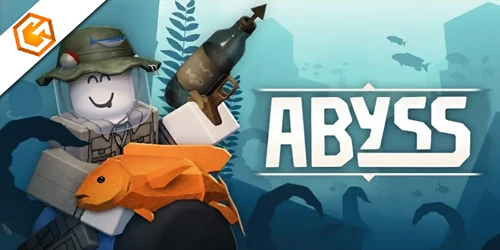
Roblox Abyss codes list with active rewards, how to redeem codes step by step, where to find new codes, and why some Abyss codes stop working.
Table of Contents
Looking for the latest Roblox Abyss codes and what they actually unlock? You’ll want the current freebies and the exact steps to redeem them without errors. We’ll cover the only active code, what it gives you, why a code might fail, and how to avoid common pitfalls. You’ll also learn where new drops appear first so you don’t miss time-limited boosts. Let’s start with what works right now—and what doesn’t.
All Active Roblox Abyss Codes
These are the currently working roblox abyss codes. Redeem them fast before they expire.
| Code | Reward | Status |
|---|---|---|
| RELEASE | x100 Star Shards, x5 Small Oxygen Pods, x1 Speed Potion | Active |
| BUGFIX01 | x100 Star Shards, x1 Drop Luck Potion, x1 Speed Potion | Active |
| LOVE | x100 Star Shards, x5 Small Oxygen Pods, x1 Speed Potion | Active |
To redeem roblox abyss codes, finish the tutorial, open Settings (top-left cog), go to Codes, enter the code exactly, and tap Redeem.
Expired Roblox Abyss Codes
Right now, there are no expired roblox abyss codes. If a code expires later, we’ll move it into this section.
If a roblox abyss code won’t work, double-check spelling and exact casing, remove extra spaces, and make sure you’ve finished the tutorial. For more Roblox guides, see our Roblox hub.
How to Redeem Roblox Abyss Codes
You’ll redeem Roblox Abyss codes entirely in-game. Launch Abyss, finish the quick tutorial and catch three fish, then open Settings (cog icon), scroll to Codes, paste the exact code, and press Redeem. Rewards like Star Shards and Oxygen Pods appear instantly if the code’s valid.
Redeem Roblox Abyss Codes In-Game
Kick off code redemption in Abyss by finishing the short tutorial—catch three fish and speak to the Kraken to unlock the Codes field. Once that’s done, you’ll know how to redeem roblox abyss codes fast: open Settings via the top-left gear, scroll to Codes, paste the exact, case-sensitive roblox abyss code into “Enter code...,” then press Redeem.
Use copy-paste to avoid typos. Rewards like Star Shards, Small Oxygen Pods, and Speed Potions land in your inventory instantly—RELEASE grants 100 Star Shards, 5 Small Oxygen Pods, and 1 Speed Potion.
| Step | Tip |
|---|---|
| Complete tutorial | Catch three fish, talk to Kraken |
| Open Settings | Tap top-left cog, scroll to Codes |
| Enter code | Paste exactly, press Redeem |
If a code fails, recheck case, try rejoining, or assume it’s expired. Redeem new codes quickly from Abyss Discord and Deep Spirit Games.
What Are Roblox Abyss Codes?
Start with the basics: Roblox Abyss codes are developer-issued promo codes for the Abyss game that you enter in-game to claim free rewards like Star Shards, Small Oxygen Pods, and Speed Potions. Think of roblox abyss codes as limited-time bonuses that help you progress faster. Abyss codes usually arrive through the developer’s Discord, update notes, or social posts, and they often expire—so grab them quickly.
These codes are case-sensitive and typically redeemable once per Roblox account, so you must type them exactly as shown. The current launch code, RELEASE, grants 100 Star Shards, 5 Small Oxygen Pods, and 1 Speed Potion. After you finish the tutorial and unlock code entry, you’ll redeem them in the Settings menu’s “Enter code...” box. Watch official channels to catch new drops fast.
Why Aren’t My Roblox Abyss Codes Working?
If your Roblox Abyss codes won’t redeem, the most common culprits are simple: case-sensitive typos, trying before finishing the tutorial, or using an expired or already-claimed code. Copy and paste the code exactly—no extra spaces—to avoid errors. You must complete the tutorial (catch three fish until “Tutorial - Finished” shows) before the Codes field unlocks; try earlier and the game flags it invalid.
If you still can’t redeem abyss codes, the code may be expired or previously used. Launch codes like RELEASE can lapse fast, so claim promptly. Sometimes server hiccups cause failures—rejoin the game or wait a few minutes, then try again.
Always pull codes from official sources (Abyss Discord, Deep Spirit Games). Third-party “depositcodes for abyss roblox” lists can be outdated.
Common Roblox Abyss Code Issues
Though redeeming codes in Abyss seems simple, a few predictable snags trip players up. The biggest culprit is case sensitivity—copy active roblox abyss codes exactly, with no extra spaces. RELEASE, for example, must be in all caps. You also can’t redeem until you finish the tutorial: catch three fish, speak to the Kraken, then open Settings (cog, top-left) → Codes.
If you enter codes in Abyss Roblox and see “invalid,” it’s often because the code expired or you’ve already used it—each one works once per account. The game does notify you if it’s used or invalid. Server hiccups happen, too; rejoin and try again before assuming a code’s dead. Finally, double-check you’re pasting into the “Enter code...” box and tapping Redeem.
How to Get More Roblox Abyss Codes
Looking to stack more Abyss freebies? Start by tracking official channels daily. Join the Abyss Discord and the Deep Spirit Games Roblox group—devs drop time-limited codes fast. Follow their social accounts and check the Roblox experience description during updates, milestones, and livestreams. Bookmark reliable trackers (the game’s codes page or Game8/GamesRadar+) and refresh often. When you spot codes for abyss roblox, copy them exactly and redeem immediately via Settings—codes are case-sensitive, single-use, and expire quickly, so don’t wait to claim free rewards roblox abyss.
1) Join + follow:
- Abyss Discord, Deep Spirit Games group, official socials, and livestreams.
2) Check daily:
- The in-game description and trusted guides last verified 2026.
3) Act fast:
- Open Settings > Codes, paste precisely, redeem before events end.
Frequently Asked Questions
Do Roblox Abyss Codes Expire at Different Times by Region or Server?
No—Abyss codes expire globally, not by region or server. You’ll see the same expiry as everyone else. Redeem promptly, since codes are case-sensitive and limited-time. Finish the tutorial, then enter exact codes in Settings > Codes to claim.
Can I Trade or Gift Rewards Earned From Roblox Abyss Codes?
No, you can’t trade or gift code rewards; they’re bound to your account. You’ll redeem them after the tutorial by entering codes in Settings. Use exact casing. Share codes, not items, to help friends claim their own.
Do VIP or Game Pass Perks Affect Code Redemption Rewards?
No, VIP or game passes don’t change what code rewards you receive. You’ll get the same items as everyone else if you’ve finished the tutorial and caught three fish. Just enter codes exactly and press Redeem.
Are There Platform-Specific Issues Redeeming Codes on Mobile Versus PC?
No, codes work the same on mobile and PC. You might hit issues: tiny UI, autocorrect changing case, clipboard spaces, or outdated clients. Finish the tutorial, type codes exactly, update the app, and restart if errors persist.
Will Developers Reissue Rewards if a Code Bug Consumes My Entry?
Usually, they won’t automatically reissue rewards. You should grab a timestamped screenshot, note your username, server, and code, then contact the game’s Discord support or Roblox group wall. Developers sometimes restore items after verifying logs.
Conclusion
You’re all set to dive into Abyss with a boost. Redeem the active code, double-check the tips if it doesn’t work, and keep an eye on the Discord for fresh drops. Don’t forget codes are case-sensitive and can expire fast, so grab rewards as soon as you can. If you’re stuck, finish the tutorial, retry without extra spaces, and switch servers. Now gear up, stock your oxygen, and chase those Star Shards—your next deep-sea haul awaits.
