Razer Gold Card: What It Is, Where to Buy & Redeem – GameWilds
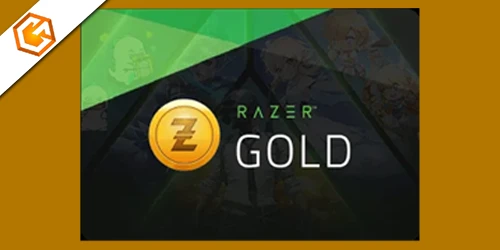
Razer Gold Card guide explaining what a Razer Gold Card is, where to buy it safely, how to redeem it, and how to check your balance.
Table of Contents
You use a Razer Gold card to add prepaid gaming credit to your Razer Gold wallet with a numeric PIN or code. Once you redeem it, you can pay across thousands of games and services without typing in your bank details each time, and you may earn Razer Silver rewards. It sounds simple, but the way denominations, regions, and code types work can change what you can actually buy—so what should you check first?
What Is a Razer Gold Card?
A Razer Gold Card is a prepaid virtual gaming credit you redeem to add funds to your Razer Gold balance, which you can then use to pay across supported games and entertainment titles. If you’re wondering what is a razer gold card, it’s fundamentally a code-based top-up that loads a universal gaming currency accepted across thousands of titles, and your balance won’t expire once it’s in your account. You can buy razer gold gift cards as digital eGifts or physical cards in common denominations, and digital codes often arrive by email within minutes. To razer gold redeem, you enter the razer gold pin on gold.razer.com (Reload) or choose Razer Gold at checkout to apply it to your Razer ID.
Why Use a Razer Gold Card?
Once you’ve loaded a code into your Razer Gold balance, a Razer Gold Card makes everyday spending smoother and often more rewarding. You pay in seconds across thousands of supported games and entertainment titles without re-entering card details, and you can access promos or discounts that other payment methods miss. Every purchase earns Razer Silver points you can trade for hardware, game keys, and digital content.
You’ll also control spending better: a fixed razer gold card balance helps you stick to a budget, and preloading reduces fraud risk because you aren’t repeatedly sharing banking info. When you need more credits, top-ups are easy after you learn where to buy razer gold card vouchers and PINs. Just follow the simple razer gold card redeem flow at checkout or in your wallet.
Where to Buy a Razer Gold Card Safely
To stay on the safe side, buy your Razer Gold Card only from authorized sellers that deliver legitimate, unused codes. For digital PINs, stick with trusted online retailers like Dundle, Gameflip, or big-name stores such as Amazon, Walmart, and Target, which typically email your code fast—often within 5–15 minutes. Choose vendors that send immediate email delivery and include a clearly labeled code so you don’t wait or risk mishandling.
If you want a physical card, purchase at official RazerStores or approved retailers shown on Razer’s “Find Retailers” page to avoid counterfeit or previously used cards. Before you pay, check seller ratings and marketplace protections like Gameflip’s guarantees and refund policies, and save your receipt. Treat codes like cash—don’t share them.
How to Redeem a Razer Gold Card
After you’ve bought your card from a trusted seller and kept the code private, redeeming a Razer Gold Card only takes a minute. Go to gold.razer.com, log in to your Razer Gold account (or create one, then verify your email), and click Reload. Choose Razer Gift Card or Razer Gold PIN, enter the numeric PIN or voucher code from the card or your email attachment, and confirm the Reload. If you bought a digital Razer/Rixty card, you’ll usually get the code by email in 5–15 minutes for immediate use. Once it redeems successfully, the value lands in your Razer Gold Wallet, and you’ll typically earn Razer Silver loyalty points. For Rixty, redeem at rixty.com/code with your 16-digit code.
How to Check Your Razer Gold Card Balance
Usually, the quickest way to check your Razer Gold Card balance is to sign in at gold.razer.com and look at the balance shown on your dashboard or in the Wallet/Reload section. If you’ve just redeemed a voucher, click Reload, enter the PIN/code, and confirm the updated balance immediately. You can also open the Razer Gold mobile app (if you’ve installed it) to view the same balance details on the go. When you bought a digital card, check your purchase email confirmation; it typically shows the redeemed amount and remaining value. If you reloaded through Razer.com or a RazerStore, you may need 2-step authentication before the balance appears. If something doesn’t match, contact Razer/Giftnix support with your PIN, order number, and proof of purchase ready.
Razer Gold PINs vs Razer Gold Gift Cards
Seeing a balance on your Razer Gold wallet is one thing, but it helps to know how that value got there—through a Razer Gold PIN or a Razer Gold gift card. A PIN is usually a prepaid numeric code (often 16 digits) you redeem on the Reload page or at checkout to add balance fast. Many PINs and digital Razer/Rixty codes arrive by email within minutes, so you can top up immediately.
A Razer Gold gift card is a physical or eGift card sold in set denominations like $10, $20, $25, $50, or $100, and it also includes a redeemable code. Physical cards can be presented in-store or redeemed online. Both convert to Razer Gold, earn Razer Silver, and aren’t cashable; you’re responsible if codes get lost.
Razer Gold Card Not Working? Quick Fixes
Don’t panic if your Razer Gold card won’t redeem—most issues come down to small, fixable details like a mistyped 16‑digit code (O vs 0, extra spaces), an already‑redeemed PIN, or being logged into the wrong Razer ID/region. Re-enter the code carefully and confirm it hasn’t been used. Next, sign in at gold.razer.com, make sure your Razer ID and Gold account are linked, and complete any 2‑step authentication before you hit Reload. If you bought a digital code, confirm delivery: most arrive by email within 5–15 minutes, so check spam/junk or ask the seller to resend or verify. Also verify region/platform eligibility; your account region must match. Still stuck? Save your receipt and contact Razer or the retailer support.
Frequently Asked Questions
What Is the Razer Gold Card Used For?
You use a Razer Gold Card to top up your Razer Gold wallet or pay at checkout for games, in-game items, and digital content, while earning Razer Silver. You enter its code online to redeem.
Why Do People Ask for a Razer Gold Card?
You ask for a Razer Gold Card to buy in-game content widely, earn Razer Silver rewards, avoid reentering payment details, control spending with a wallet balance, send fast digital gifts, and access exclusive promotions and discounts.
Can I Convert Razer Gold to Cash?
You generally can’t convert Razer Gold to cash. You must spend it on supported games, services, or Razer products. Third-party exchanges risk fraud and break terms. If law requires, you can request support refunds.
How Much Is $100 Razer Gold Now?
$100 Razer Gold is worth $100 in Razer Gold credit right now, once you redeem it. You can’t cash it out, but you can spend it on supported games and content. Your balance won’t expire.
Conclusion
Now you know what a Razer Gold card is and how it helps you top up gaming credit fast without sharing bank details every time. If you buy from trusted sellers, redeem the PIN on gold.razer.com, and keep an eye on your balance, you’ll stay in control of your spending and access promos plus Razer Silver rewards. If a code won’t work, double-check region, digits, and account details before contacting support.