Xbox Gift Card Codes: How to Get & Redeem Digital Codes – GameWilds
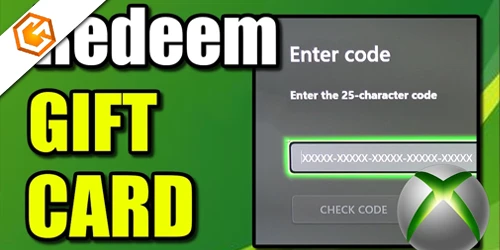
Xbox gift card codes explained with safe ways to get digital codes, redeem them on Xbox or Microsoft accounts, and avoid common scams.
Table of Contents
Thinking about gifting games or topping up your balance without a physical card? Xbox gift card codes are 25-character digital codes you can buy online or in stores and get by email. You’ll redeem them by signing in to the right Microsoft account and entering the code on the web, in the Microsoft Store app, or on your console. But there’s a catch with regions, balances, and common errors—and that’s where smart steps matter next.
What Is an Xbox Gift Card Code?
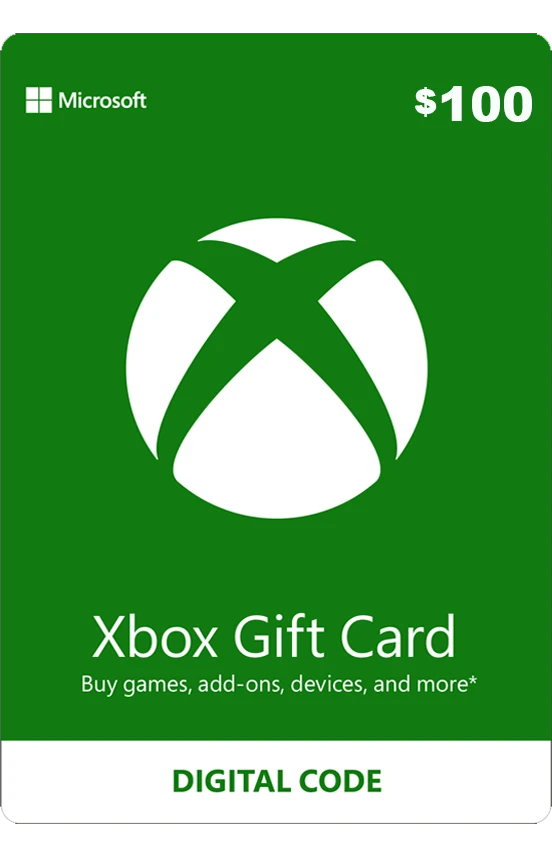
Kick off your Xbox shopping by redeeming an Xbox gift card code—a 25‑character alphanumeric digital code that, once entered at microsoft.com/redeem or on your Xbox/Windows device, instantly adds its dollar value to your Microsoft account. You’ll get these digital cards by email, so you can forward, print, or message the code to someone else for quick gifting. When the balance lands in your account, you can spend it across Xbox Series X|S, Xbox One, Windows 10/11, and the Microsoft Store online.
Think of it as flexible store credit with rules. Balances are region‑locked, so your Microsoft account region must match the card’s country and currency. After redemption, funds are nontransferable and generally nonrefundable. Use them for games, in‑game items, movies, apps, devices, or eligible subscriptions.
How to Redeem an Xbox Gift Card Code
You can redeem your Xbox gift card on a console, a Windows PC, or your phone. On Xbox Series X|S or Xbox One, use the Store’s Redeem option; on Windows or the Xbox app, enter the 25‑character code in the Redeem section. On mobile, use the Xbox app or go to microsoft.com/redeem in your browser while signed in.
Redeem on Xbox Console
On an Xbox Series X|S or Xbox One, press the Xbox button to open the guide, go to Store, press the View button to open the side menu, choose Redeem, and enter the 25-character code. Select Next and follow the prompts to confirm.
Before you start, make sure you’re signed in to the Microsoft account you want to use. Once a code is redeemed, it’s tied to that account and can’t be moved.
If you see an “incorrect region” error, open Guide > Profile & system > Settings > System > Language & location, set the region to match the code’s country, and restart if prompted.
If a code fails, confirm it’s unused, check the Xbox status page for outages, or contact the retailer if the code is inactive or damaged. After redemption, your balance is ready for purchases.
Redeem on Windows PC or Xbox App
Getting started on a PC is straightforward: open the Microsoft Store app, sign in with the correct Microsoft account, select your profile icon in the top-right, choose “Redeem code or gift cards,” and enter the 25-character code. Follow the on-screen confirmation to apply the value to your Microsoft account balance.
Prefer the Xbox app on Windows? Open it, click your gamerpic in the top-left, go to Settings, select Redeem under “Redeem a code,” enter the 25-character code, and choose Next. Before redeeming, confirm you’re signed into the right account and that your account’s country/region matches the gift card’s region, since many cards are region-locked.
After a successful redemption, your balance is ready for eligible games, add-ons, movies, and subscriptions. If redemption fails, check Xbox service status, recheck the code, and contact support if needed.
Redeem on Mobile (Xbox App / Browser)
Redeeming an Xbox gift card on mobile is simple—skip the app and use your browser. The Xbox mobile app doesn’t support redemption, so open your phone or tablet’s browser and head to microsoft.com/redeem. Sign in to the Microsoft account you want credited, paste your 25‑character code, and select Next. Your balance or item is applied immediately and works across Xbox consoles, Windows 10/11, and the Microsoft Store online.
- Go to microsoft.com/redeem in your mobile browser and sign in to the correct Microsoft account.
- Paste the full 25‑character code, tap Next, and confirm the redemption.
- Check your account region matches the code’s region to avoid “Incorrect region” errors.
- If it fails, verify service status, confirm the code wasn’t used, then contact the retailer or Microsoft Support with proof of purchase.
What to Do After You Redeem Your Xbox Code
Once your Xbox code applies to your account, decide how you’ll use the balance or content right away. If it’s a gift card, your full balance is ready across Xbox consoles, Windows, and the Microsoft Store online. Verify it at account.microsoft.com under Payment & billing to see your updated balance and order history.
If you redeemed a specific game or DLC, install it from your console’s My games & apps or from the Microsoft Store on PC. If it’s Game Pass, activate and manage the subscription in the Xbox app or at account.microsoft.com/services.
Keep purchases within the same country/region the code was bought for, and remember redeemed value isn’t transferable. If something’s off—wrong region, already redeemed, or outage—check Xbox status pages or contact support with your proof of purchase.
What Can You Buy with an Xbox Gift Card?
Dive right in: an Xbox gift card lets you pay for a wide range of digital content and more. Once you redeem the 25‑character code to your Microsoft account, the balance is instantly available on Xbox Series X|S, Xbox One, and Windows 10/11. You’ll see it at account.microsoft.com and in the Microsoft Store.
1) Games and add-ons: Buy full games, DLC, season passes, map packs, and in-game currency.
2) Entertainment and apps: Rent or buy movies and TV shows, and pick up premium apps from the Microsoft Store.
3) Subscriptions: Apply credit toward Xbox Game Pass or PC Game Pass; some plans may require letting a current term end first.
4) Devices and accessories: In many regions, pay for controllers, headsets, and other hardware online (availability varies).
Purchases are nonrefundable and charged in your card’s currency.
Xbox Gift Card Code Not Working? Common Fixes
Ran into an error redeeming your Xbox gift card? Start by confirming you’re signed into the correct Microsoft account and that your account region matches where the card was purchased. Region‑locked cards show “Incorrect region” when mismatched. Enter the 25‑character code exactly—no spaces or typos—and make sure it hasn’t already been redeemed; once claimed, codes are tied to that account.
Seeing “code inactive” or the code won’t read? Keep your receipt and contact the retailer; they must fix inactive or region‑mismatched codes. Next, check Xbox/Microsoft service status. If services are down, wait and try again. Also confirm no account suspensions or billing holds.
Still stuck? Visit Microsoft’s redeem error/status code page or contact Support with the error code and proof of purchase.
Frequently Asked Questions
Can Xbox Gift Cards Be Gifted to Another Microsoft Account?
Yes. You can buy a digital Xbox gift card and email the 25‑character code to someone else. They redeem it on their Microsoft account. Ensure the region matches, and remember gift card purchases are nonrefundable once delivered.
Do Xbox Gift Card Balances Expire After Redemption?
No, your redeemed Xbox gift card balance doesn’t expire. Once you add it to your Microsoft account, you can spend it anytime on Xbox, Windows, or Microsoft Store purchases, subject to region lock and applicable terms.
Are Physical Xbox Cards Different From Emailed Digital Codes?
Yes. Physical cards and emailed codes work the same after redemption, but they’re delivered differently. You’ll scratch a physical card to reveal a 25‑character code; emailed codes arrive instantly. Both are region‑locked, nonrefundable, and fund the same Microsoft account balance.
Can I Combine Multiple Xbox Gift Card Balances?
Yes, you can. Redeem multiple 25‑character codes to the same Microsoft account, and the balances stack. Make sure they’re region‑compatible. After redemption, you’ll spend from the combined wallet automatically on Xbox, Windows, or Microsoft Store purchases.
Are Xbox Gift Cards Eligible for Promotional Discounts or Sales?
Yes, sometimes. You’ll occasionally find discounted Xbox gift cards from authorized retailers during sales. Microsoft rarely discounts them directly. Always check terms, region, and purchase limits, and avoid marketplaces that look sketchy to protect your balance and account.
Conclusion
You’ve got everything you need to grab, redeem, and use Xbox gift card codes with confidence. Pick up a code online or in-store, redeem it on your Microsoft account, and your balance is ready instantly. Then browse games, DLC, subscriptions, apps, and media—all without a credit card. If a code doesn’t work, double-check the region, typos, and redemption method. Keep your account secure, track your balance, and enjoy fast, flexible spending across the Xbox and Microsoft ecosystem.