Roblox Gift Card Redeem: How to Redeem & Spend Credit – GameWilds
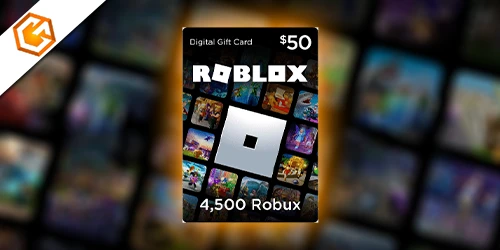
Learn how to redeem a Roblox gift card, check your balance, fix redeem errors, and safely spend your Roblox credit without scams.
Table of Contents
Got a Roblox gift card and not sure where to redeem it? You can safely activate your code at roblox.com/redeem in seconds. Enter your 16-character PIN, confirm, and your Roblox credit will be added instantly to your account.
Below, we’ll show you exactly where to redeem Roblox gift card codes, how to fix common errors, and how to convert your balance into Robux or Premium without issues.
How to Redeem a Roblox Gift Card (PC & Mobile)
To redeem a Roblox gift card, open a web browser (not the Roblox app) and go to https://www.roblox.com/redeem. Sign in to your account, then enter the 16-character PIN exactly as shown on your physical or digital card. Click Redeem to complete the process.
If successful, you’ll see a confirmation message along with your updated Available Credit. You can immediately convert that balance into Robux or apply it toward a Roblox Premium membership through the Robux or Membership pages.
If the code fails, carefully check common character mix-ups like O/0, I/1, Z/2, S/5, G/6, or B/8, and ensure the card matches your account region. If problems continue, contact Roblox Support with your username, receipt, and card details.
If you're looking for more Roblox guides, promo updates, and code lists, check our full Roblox section for the latest working rewards and redemption tips.
How to Check Your Roblox Gift Card Balance
Typically, you’ll check your Roblox gift card balance by logging in at Roblox.com/redeem—your account’s Available Credit and Robux appear at the top of the page. There’s no separate “gift card balance” page. If you’re redeeming a new card, enter the PIN in the Code box and click Redeem; the Available Credit updates immediately when successful.
To view your current credit without redeeming anything, just visit the Redeem page while signed in. Need proof of a previous redemption? Open Account Settings > Billing to review your purchase or transaction history for conversions to Robux or Premium.
If a balance seems off, recheck the PIN for common character swaps (O/0, I/1, Z/2, S/5, G/6, 8/B). Still wrong? Contact Roblox Support with the PIN, serial, receipt, purchase details, username, and images.
How to Spend Roblox Credit After Redeeming
Once your gift card credit shows as Available Credit, put it to work by converting it into Robux or a Roblox Premium membership. Go to the Redemption, Robux, or Membership page, pick what you want, and click Buy. Roblox automatically applies your Available Credit at checkout.
Review the conversion options shown under Available Credit before you confirm—these display the specific Robux amounts or Premium choices your balance can cover. If your credit doesn’t fully cover the price, you’ll be prompted to add another payment method for the remainder or cancel and keep your credit.
After purchase, any leftover balance stays in your account. Check your Updated Available Credit and Robux balance on the Redemption or Robux pages to confirm everything processed correctly.
What Can You Buy With Roblox Gift Card Credit?
Credit from a Roblox gift card lets you unlock Robux or a Roblox Premium membership, and that’s where your buying power begins. Convert Available Credit into Robux on the Redeem or Robux page, then spend Robux on avatar accessories, limited-look cosmetics, in-game items, and game passes that grant special abilities or access. You can also use credit directly on the Membership page to purchase or renew Roblox Premium for monthly Robux, trading, and marketplace perks.
Before converting, check the store’s displayed options so you know exactly how much Robux you’ll receive. If a transaction doesn’t use all your balance, the remainder stays as Available Credit for later. Remember, Roblox credit isn’t cash: you can’t withdraw it, and you can only spend it within your Roblox account.
Roblox Gift Card Not Working? (Fixes & Solutions)
Running into a “gift card not working” message can throw you off, but most issues are easy to fix. First, redeem only at Roblox.com/redeem, ensure you’re signed in, and enter the 16-character PIN with no spaces. Carefully swap common lookalikes: 0/O, 1/I, 2/Z, 5/S, 6/G or Q, 8/B.
If it says “already redeemed,” verify you’re on the right account. Ask the purchaser for proof of which account received the credit.
If the card is expired, damaged, or looks counterfeit, contact the retailer for a replacement. Keep the receipt and clear photos of the front and back.
For technical errors, note the exact message, try another browser or device, clear cache, then contact Roblox Support with your username, purchase date, PIN, serial number, retailer, and receipt images. After redeeming, confirm Available Credit updates.
Common Roblox Gift Card Redeem Errors
After troubleshooting why a gift card might not work, it helps to know the exact errors you’ll see and what they mean. “Invalid code” usually points to a mistyped PIN—carefully swap lookalikes like 0/O, 1/I, 2/Z, 5/S, 6/G or Q, and 8/B, then re-enter it exactly as printed. “Code already redeemed” means the PIN was used on another account; gather the card serial, your username, and the receipt before contacting Roblox Support. “This code has expired or is not valid” often signals a region-locked, already-used, or mistyped code—confirm the purchase location, date, full PIN, and serial.
You might also see errors when converting Credit to Robux or Premium. Check Available Credit on Roblox.com/redeem, follow prompts to convert remaining funds, or retry. For persistent issues, contact Support with your username, purchase details, full PIN/serial, and clear receipt and card images.
How to Avoid Roblox Gift Card Scams
Before you scratch or share a code, protect yourself by treating every Roblox gift card like cash. Never share your PIN or serial number with anyone—real Roblox staff or support won’t ask for the full code. Sharing it lets scammers redeem your balance instantly.
Only redeem at roblox.com/redeem. Check the exact URL and the HTTPS lock; phishing pages mimic Roblox but use off-brand domains. Ignore unsolicited DMs, social posts, or Discord messages promising free Robux or premium items for codes—those are classic scams.
Be cautious with “proof of purchase” or screenshot requests. Only upload receipts and card images through Roblox’s official help portal on a ticket you opened. Skip “cheap,” bulk, or urgent code offers; they’re likely stolen or fake. Report suspicious sellers and posts.
Can You Transfer Roblox Gift Card Credit?
Hoping to pass along your Roblox gift card balance? After you redeem a PIN at Roblox.com/redeem, the credit locks to your account and you can’t transfer it directly to another user. If you haven’t redeemed the physical or e-gift card yet, simply give the unused card or PIN to the recipient so they can redeem it on their own account.
Need to move value indirectly? Convert your credit to Robux or a Premium membership, then use Roblox’s permitted methods to share value. With Premium, you can gift items via the Avatar Shop or distribute Robux through eligible group payouts, following Roblox’s rules. Direct Robux transfers are limited.
Ran into a redemption mistake or account issue? Contact Roblox Support with proof of purchase, the card PIN/serial, and receipts.
Frequently Asked Questions
How Do You Redeem Roblox Gift Cards?
You redeem one by signing in on the redemption page, entering the 16-character PIN, and clicking Redeem. Verify available credit, then convert it to Robux or Premium. If errors occur, double-check character substitutions and contact support with receipts.
Conclusion
You’ve got everything you need to redeem, convert, and enjoy your Roblox gift card with confidence. Head to the official redemption page, sign in, and enter your PIN—then choose Robux or Premium. Check your balance anytime, watch for common character mix-ups, and try again if something looks off. If issues pop up, keep your receipt and contact support. Stay safe by avoiding third-party sites and never sharing codes. Now go customize your avatar, unlock game passes, and level up your Roblox fun.
