Valorant Gift Card: How to Redeem, Use & Avoid Scams – GameWilds
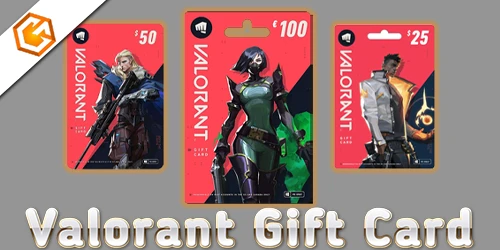
Learn how a Valorant gift card works, how to redeem it for VP, supported regions, common issues, and how to avoid fake Valorant gift card scams.
Table of Contents
Thinking about using a Valorant gift card but not sure how to redeem it—or whether that “deal” is legit? You’ll convert it to VP through Riot’s official site or in‑client, but a few easy mistakes can lock your balance or waste your money. You’ll also want to know what you can actually buy, regional limits, and how to avoid common scams that target new buyers. Here’s what to check before you scratch that code…
What Is a Valorant Gift Card?
Kick off your Valorant spending with a gift card—a prepaid code that adds Riot Points (often shown as VP/RP) to your Valorant account so you can buy agents, skins, and other in‑game items. Wondering what is a valorant gift card? It’s a Valorant‑only balance boost: you’re adding valorant gift card VP (RP) that won’t transfer to other Riot games. Cards typically come in $10, $25, $50, and $100.
You can choose digital delivery via email from trusted platforms (Amazon, GyFTR, Riot Store) or pick up physical cards at major retailers like Walmart, Target, GameStop, or Best Buy. Because cards are region‑locked, match the card’s region to your Riot account. Keep receipts and the card until VP appears. Curious where to buy valorant gift card or how to redeem valorant gift card? Stick to authorized sellers and protect the code.
How to Redeem a Valorant Gift Card
Ready to load up your Valorant account with RP? Follow this quick step-by-step redemption guide so you enter the code correctly, match the right region, and see VP appear in your wallet. You’ll avoid common errors and finish in minutes.
Step-by-Step Redemption Guide
Whether you’ve got a physical card or a digital code, redeeming a Valorant gift card takes just a minute: sign in at Riot Games with the Riot account that matches your card’s region, enter the 12–16 character code exactly as shown, and confirm to add VP.
1) Physical card: lightly scratch the silver panel to reveal the PIN. Keep the card and receipt until you see the VP.
2) Digital delivery: copy the code carefully—no spaces.
3) Alternative in-client method: open Valorant, click the Valorant icon, select Prepaid Cards & Codes, paste the code, and submit.
Troubleshooting:
- Valorant gift card not working? If you see “invalid” or “code not activated,” return to the retailer with your receipt or wait 24 hours after too many attempts.
- Valorant gift card region locked? Ensure regions match; otherwise, contact support with proof.
That’s how to redeem Valorant gift card.
Common Valorant Gift Card Errors (And How to Fix Them)
Running into gift card errors? You might see messages like “This Code Does Not Appear to Be Valid,” “Not Properly Activated,” “Already Been Redeemed,” “Exceeded Redemption Attempts,” or “Not Valid in Your Region.” Here’s what each one means and the quick fixes to try next.
This Code Does Not Appear to Be Valid
Hit a wall with “This Code Does Not Appear to Be Valid”? Start with the basics: most valorant gift card errors come from typos. Re-enter the 16 characters exactly as shown—no spaces—and watch 0 vs O and 1 vs I. Next, check region lock. If your account is NA but the card is EU or OCE, it’ll fail. Recently bought a physical card? Ask the retailer to confirm activation; unactivated cards scan as invalid. Also confirm the code hasn’t been redeemed already and keep the receipt.
If none of that fixes it, contact Riot Support with the card image, receipt, and the exact error. Remember: the code adds RP for agents, skins, and more—what can you buy with valorant gift card matters, not whether it’s “valorant gift card expired.”
This Code Is Not Properly Activated
If you see “This code is not properly activated,” the issue’s almost always on the seller’s side, not yours. This error typically means the retailer never activated the card at checkout or the digital code wasn’t flipped live on their end. Don’t keep retrying; repeated attempts can trigger rate limits or lock the code. Instead, move quickly with proof.
- For physical cards, return to the same store with the card, backing/barcode, and receipt for activation or a replacement.
- For digital codes, contact the merchant (e.g., Amazon order page or GyFTR) with your order confirmation.
- Keep receipts, timestamps, and screenshots of the error—both the retailer and Riot may ask for them.
- Pause redemption attempts until the seller confirms activation.
- If activation’s confirmed but it still fails, open a Riot support ticket with proof.
This Code Has Already Been Redeemed
Seeing “This Code Has Already Been Redeemed” points to a different problem than an unactivated card: the code was used before. First, rule out typos. Re-enter the 12–16 character code exactly as printed, watching for swapped 0/O, 1/I, missing characters, or spaces.
If it still fails, consider where you bought it. Marketplace or reseller purchases can be reused or fraudulent. Contact the seller immediately and provide your receipt. For physical cards, keep the receipt and the intact scratch panel; return the card to the retailer for activation verification or a refund if it was already redeemed.
If you suspect it was redeemed on your account—or by someone with access—open a Riot Support ticket with the code, receipt, purchase date, and delivery emails. Prevent repeats: buy from authorized retailers and redeem at redeem.riotgames.com.
You Have Exceeded Redemption Attempts
Run into “You have exceeded the maximum number of code redemption attempts”? Stop. Riot’s system temporarily locks redemptions to block brute‑force or repeated invalid submissions. Wait 24 hours before trying again, then redeem at redeem.riotgames.com.
- Double‑check the exact 16‑character alphanumeric code; remove spaces or dashes from emails or card prints before pasting.
- Confirm you’re logged into the correct Riot account and region that matches where the card was issued.
- Avoid repeated retries—copy/paste the code once, verify, then submit. Don’t guess characters that look similar (O/0, I/1).
- If the error returns after 24 hours and you’re sure the code and region are right, contact Riot Support with your receipt, card image, and full code.
- Bought in‑store? If the merchant didn’t activate the card, return with your receipt for activation.
This Code Is Not Valid in Your Region
Though it looks like a random glitch, “This Code Is Not Valid in Your Region” means the gift card’s region doesn’t match your Riot account’s region. Valorant gift cards are region-locked, so an NA code won’t redeem on an EU, OCE, or ANZ account.
Do this:
- Check the product listing or retailer label for the card’s issued region.
- Log in at redeem.riotgames.com and confirm your account’s region before retrying.
- If you bought a digital marketplace code, verify it explicitly states your region.
- Don’t purchase NA/EU/OCE codes that don’t match your account’s region.
If you think it’s wrong—especially if you purchased locally—keep the receipt, ask the merchant for activation proof, or open a Riot support ticket with the code, receipt, and your account region. To prevent mismatches, buy only from authorized regional retailers.
What Can You Buy with a Valorant Gift Card?
With Valorant gift cards, you load up VP to grab weapon skins and bundles, then save for pricier knives or collections. You can unlock the premium Battle Pass, progress tiers, and snag event rewards that boost your haul. You’ll also pick up agents and round out your look with sprays, player cards, and other cosmetics.
Weapon Skins & Bundles
Unlock a Valorant gift card and turn it into RP you can spend on weapon skins, bundles, and more. If you’re eyeing flashy finishes or full collections, RP gives you flexibility. Legendary bundles usually land around 2,475–2,775 RP, while single Epic skins hover near 1,775 RP. Ultimate-tier skins, with cinematic animations, cost about 3,375 RP, so plan to stack multiple cards or mix RP with another payment method in the client. Remember: purchases and Radianite upgrades are region-locked to the account you redeemed on.
- Pick up Epic singles when you want one standout gun.
- Save for Legendary bundles to theme your loadout.
- Combine RP and card balance at checkout.
- Stack $25 + $50 cards for Ultimate-tier skins.
- Check your region before you buy.
Battle Pass & Event Rewards
From seasonal grinds to flash events, a Valorant gift card turns into VP you can spend on the premium Battle Pass (1,000 VP, about $10) and time-limited cosmetics. You’ll unlock seasonal tiers faster with premium track rewards and use leftover VP on event-limited bundles when they rotate. If you’re chasing a pricey collection, stack multiple cards to hit high VP totals.
Radianite Points are separate; buy RP with VP to upgrade select skins you earn or purchase during events. Smaller pickups fit tight budgets, so a $10–$25 card can still deliver value across several items and passes.
| Goal | Typical Cost | Tip |
|---|---|---|
| Premium Battle Pass | 1,000 VP | Budget one card per act |
| Event Bundles | ~2,475–2,775 VP | Stack multiple cards |
| Radianite Packs | 165+ RP (via VP) | Buy only what you’ll use |
| Misc. Event Items | 350–800 VP | Fill leftover VP efficiently |
Agents, Sprays, Cards & Cosmetics
Already planning Battle Pass and event buys? Your Valorant gift card converts to VP/RP, which you can spend across agents, sprays, player cards, and other cosmetics. If you’re eyeing agents, pick them up directly or save RP for bundles and upgrades that round out your locker. RP also lets you grab Radianite Points to evolve select skins that need both RP and Radianite.
- Unlock agents and expand your roster faster without grinding contracts.
- Pick up sprays (~500 RP), player cards/titles (~300 RP), and emotes (~800 RP) for quick style wins.
- Buy weapon, operator, and knife skins; legendary bundles often land around 2,475–2,775 RP.
- Purchase the premium Battle Pass (~1,000 RP) and tier skips when you’re short on time.
- Combine gift card RP with other payments, and gift items if both accounts meet Riot’s region/age and 30‑day rules.
Where to Buy Valorant Gift Cards Safely
You should stick to official stores and trusted retailers like the Riot Games Store, Amazon (verified sellers), GameStop, Best Buy, Walmart, or Target. These sources reduce the risk of invalid, region‑locked, or already‑redeemed codes and offer clear receipts for support. If you’re considering third‑party sites, ask if the seller is verified and offers buyer protection—otherwise, don’t risk it.
Official Stores & Trusted Retailers
A safe Valorant gift card starts with a reputable seller. Buy from official or major retailers to reduce chargebacks, invalid codes, and activation issues. You’ll find physical cards in common denominations ($10, $25, $50, $100) at big-box stores, while digital codes arrive instantly or within minutes from trusted platforms. Always check the region before you pay—Valorant cards are region‑locked and won’t redeem on mismatched accounts.
- Choose the Riot Games Store, Amazon (verified sellers), GameStop, Best Buy, Walmart, or Target.
- Prefer instant digital delivery from authorized marketplaces and GyFTR; avoid sketchy reseller hubs.
- Confirm the card’s region (e.g., NA, OCE) matches your Riot account.
- Keep your receipt and confirmation until successful redemption.
- If a code shows “not activated” or “invalid,” contact the retailer immediately.
Is It Safe to Buy from Third-Party Sites?
Beyond official stores, many shoppers eye third‑party sites for quick deals—but safety varies widely. It’s safest to stick to official retailers like the Riot Games store, Amazon (sold by Riot or verified sellers), GameStop, Best Buy, Walmart, and Target. These vendors reduce risks of invalid, stolen, or already‑redeemed codes.
If you still consider third‑party marketplaces, proceed cautiously. Avoid unverified social sellers and risky listings (e.g., unchecked G2A posts) with no buyer protection. Confirm seller ratings, clear return policies, and instant email delivery details, including activation status.
Always verify the card’s region (NA, OCE, etc.) to prevent “not valid in your region” errors. Keep your receipt and a screenshot of the delivered code until it’s redeemed. If activation fails, contact the retailer immediately—not Riot.
Do Valorant Gift Cards Expire or Have Limits?
Most Valorant gift cards don’t expire, but always check the card or email—any expiration or validity period will be stated there. Keep the original receipt or message so you can verify details later. While codes usually last indefinitely, there are practical limits and rules you should know before redeeming.
- Most codes don’t expire, but any exceptions will be clearly printed—verify before buying or gifting.
- Codes are single-use; if you see “already redeemed,” confirm prior use and contact the retailer or Riot support with proof.
- Region-locked cards must match your Riot account/server region or you’ll get an error.
- Too many failed redemption attempts can trigger a temporary block (often ~24 hours); wait or contact support.
- For physical cards, avoid over-scratching the PIN and keep the purchase receipt until successful redemption.
Can You Send a Valorant Gift Card to a Friend?
Yes—you can send a Valorant gift card to a friend by buying a digital code from a trusted retailer and sharing the 16-character code privately. Purchase from authorized sellers like the Riot Games store, Amazon, Best Buy, GameStop, or verified digital platforms. Then share the code via email, SMS, or a direct message—not publicly.
Before you buy, confirm your friend’s Riot region matches the card’s region; Riot/Valorant gift cards are region-locked and won’t redeem across regions. If you prefer direct gifting, you can still purchase an external Valorant gift code and verify your friend’s Riot ID and region first. Valorant’s in-client gifting can let you send specific skins or items, subject to account age and regional rules. Keep your receipt and delivery confirmation until redemption succeeds.
Tips to Avoid Valorant Gift Card Scams
Usually, the safest move is to buy Valorant gift cards only from official retailers like the Riot Games store, Amazon (sold by Riot), Best Buy, GameStop, or Walmart. Third‑party marketplaces have higher rates of invalid or already‑redeemed codes, so stick to trusted sources and standard $10/$25/$50/$100 denominations.
- Verify the seller’s reputation and buyer protection; look for clear receipts and instant digital delivery so you can dispute bad codes.
- Keep your receipt and the full 16‑character code private; never post codes or screenshots that reveal them.
- Don’t share your Riot password or click “login to redeem” links—Riot never needs your password to apply a code.
- If you see “not activated” or “already redeemed,” contact the retailer with your receipt; avoid “activation” services.
- Skip deep discounts or social media sellers; too‑cheap deals are often stolen or fake and can risk account action.
Frequently Asked Questions
Can I Redeem a Valorant Gift Card in a Different Region?
No. You can’t redeem a Valorant gift card outside its purchase region. Check your Riot account’s region, buy a matching-region card, and redeem at redeem.riotgames.com. If you’re moving regions, contact Riot Support before purchasing.
Do Valorant Gift Cards Work Across Multiple Riot Games?
No. Valorant gift cards credit Riot Points to your Valorant-linked Riot account only. You can’t spend them in League, TFT, or other titles. If you want cross-game value, use a general Riot prepaid card instead.
Can I Split a Single Card Across Multiple Accounts?
No. You can’t split one Valorant gift card across multiple Riot accounts. Once you redeem the 16-character code on a logged-in account, all RP credits there. Redeem carefully, and only on the intended account.
What Happens if My Code Is Accidentally Exposed Publicly?
If your code’s exposed, anyone can redeem it first, and you’ll lose the balance. Try redeeming immediately. If it’s used, contact Riot Support with purchase proof. Avoid reposting screenshots, blur codes, and rotate account passwords if phishing occurred.
Are Partial Redemptions or Refunds Possible for Unused Balances?
No. You can’t partially redeem Valorant gift cards or get refunds for unused balances. You must redeem the full 16-character code at once. If you have issues, contact Riot Support to review region or account problems.
Conclusion
You’ve got everything you need to redeem your Valorant gift card without a hitch. Enter the code in the client or at redeem.riotgames.com, match your account region, and keep your receipt handy. Use your VP for skins, bundles, or the Battlepass, and buy cards only from trusted retailers. If a code fails, contact the seller, then Riot Support with proof. Stay sharp—avoid too‑good‑to‑be‑true deals and unverified sellers. Play smart, spend wisely, and enjoy your loadout.