Google Play Gift Card Balance: How to Check – GameWilds
Google Play gift card balance guide explaining how to check your Google Play balance, redeem gift cards, and fix balance update issues.
Table of Contents
If you’ve redeemed a Google Play gift card and you can’t see the balance, you’re not alone. You’ll need to confirm you’re signed into the exact Google Account that redeemed the code, and that your account country matches the card’s region. Checking the balance is quick on Android or desktop, but a few common issues can make it look like nothing happened. Before you assume it’s gone, there’s one key check you should make first.
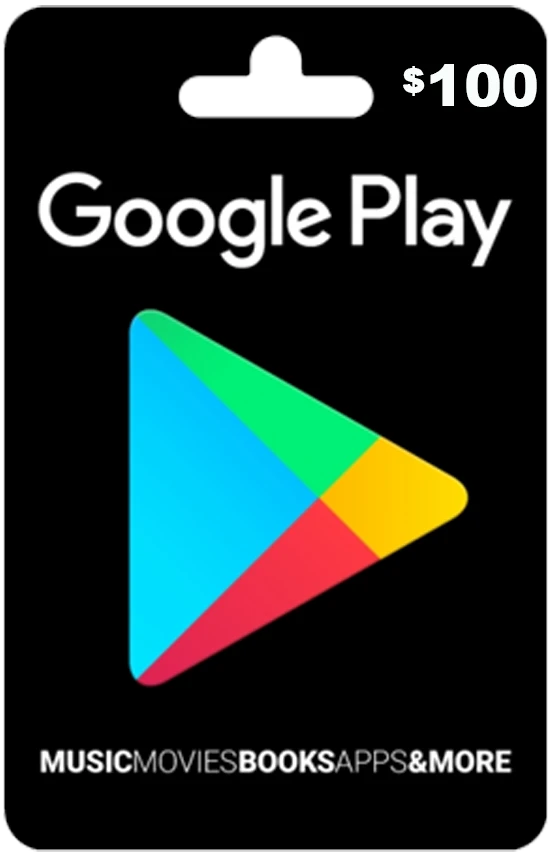
Google Play Gift Card Balance
Your google play gift card balance lives in your Google Payments profile, so you’ll only see it on the account and region that match the card’s jurisdiction (U.S., age 13+, with internet access). You can also check google play balance online for a quick google play balance check after redemption. If your google play redeem balance doesn’t update, wait a few hours, confirm you’re signed in correctly, then contact support with your receipt. Remember: it’s not cash, refundable, or reloadable.
How to Check Google Play Gift Card Balance
Google Play gift card funds show up only on the Google Account and U.S. region that successfully redeemed the code, so the fastest way to confirm what you can spend is to check the balance directly in Google Play. To check google play gift card balance, sign in to the same account that redeemed the code, then visit play.google.com/store/account for your google play balance online and review your google play account balance. You can also open Google Play, tap your profile icon, go to Payments & subscriptions, then Payment methods for a quick google play gift card balance check and your google play credit balance. If your redeemed funds don’t appear, wait a few hours for processing, sign out and back in, or try another browser/device. If it still doesn’t match, contact Google Play support with your receipt and card details.
Check Google Play Gift Card Balance on Android
On an Android phone or tablet, you can check your Google Play gift card balance in seconds right from the Play Store app. Open Google Play, tap your profile icon in the top right, then go to Payments & subscriptions → Payment methods. You’ll see “Google Play balance” with your current amount, ready to spend on apps, games, movies, books, and in‑app purchases tied to your Google account.
If a redeemed card doesn’t show up, first confirm you’re signed into the same account you used to redeem it. Make sure you redeemed online with a Google Payments profile for the card’s jurisdiction, and entered the 16–20 character code via Play Store → Redeem code. If you get “additional information is required,” clear cache, update the app, try another device, and wait hours.
Check Google Play Gift Card Balance on Desktop
From any desktop browser, sign into the same account you used to redeem the card, then go to play.google.com/store/account and open Payment methods to see your current amount listed under Google Play balance. If you haven’t redeemed your card yet, visit play.google.com/redeem, type the 16-character code exactly as shown (no spaces), and submit it; once it’s accepted, return to the account page to confirm the balance. Make sure your Google account country matches the card’s country and that you’re using the same Google Payments profile, since region mismatches can prevent redemption or hide the balance. If you see a request for “additional information,” complete missing details at payments.google.com, then retry. Still stuck? Contact support at support.google.com/googleplay or 1-855-466-4438.
Why Your Google Play Gift Card Balance May Not Update
Although your redemption may go through instantly, your Google Play gift card balance won’t always update right away because the funds can take several hours to transfer and post during server-side processing. Behind the scenes, money moves from Google Arizona LLC (GAZ) to Google Payment Corp. (GPC), so you might not see the updated total immediately.
Make sure you’re checking the balance at play.google.com/store/account while signed into the exact Google account that redeemed the code. If your Google Payments jurisdiction doesn’t match the card’s region—or your account has age-based limits (13–17)—the balance may not post. App-side glitches can also delay what you see; update the Play Store, clear its cache, or try redeeming in a browser. If it still doesn’t show, contact Google Play support with your receipt.
Common Google Play Gift Card Balance Errors
Even if your redemption seems successful, you might still run into common Google Play gift card balance errors that prevent the funds from showing up or block you from redeeming at all. One frequent message is “additional information is required to redeem the card,” which usually means your account lacks billing or identity details like age, address, or Google Payments enrollment. You may also see a delay: balance transfers can take hours while processing moves from Google Arizona LLC (GAZ) to Google Payments Corp. (GPC). If the card was redeemed on another Google account, you won’t see it on yours—check the account page at https://play.google.com/store/account. App issues matter too: update Google Play, clear cache, or try a browser, and confirm your region matches the card. If fraud’s possible, contact support with receipt and card details.
Frequently Asked Questions
Does Google Play Have a Balance?
Yes, Google Play has a balance you can use for eligible purchases. You’ll see it in the Play Store app or at play.google.com under Payments & subscriptions. Redeem gift cards or credits, then spend.
How Do I See My Google Pay Balance?
To see your Google Pay balance, open Google Play or visit play.google.com, sign in, tap your profile icon, then go to Payments & subscriptions → Payment methods. You’ll see your Google Play balance amount there.
How Do I Turn My Google Play Balance Into Cash?
You can’t directly turn it into cash; Google doesn’t allow cash-outs. You can only spend it on eligible purchases. If your state requires cash-back, contact support. Otherwise, don’t try reselling—it violates terms.
Can I Get My Money Back From a Google Play Gift Card?
You usually can’t get your money back from a Google Play gift card; they’re typically nonrefundable and not cashable. You can seek help if it’s defective or fraud occurred, or if local law mandates cash-outs.
Conclusion
You’ve got a few easy ways to check your Google Play gift card balance, and it should show up only in the Google Account that redeemed it. Use the Play app or visit play.google.com/store/account to confirm your funds, or redeem the code if you haven’t yet. If the balance doesn’t update, make sure your account country matches the card, wait a bit, clear cache, and contact support if needed.