This practical cross-platform gaming guide explains how players on different systems connect. Cross-platform gaming lets players on different systems join the same online game. Support varies by title, account system, game mode, and publisher, so compatibility should always be checked before buying or downloading a game.
What cross-platform gaming means
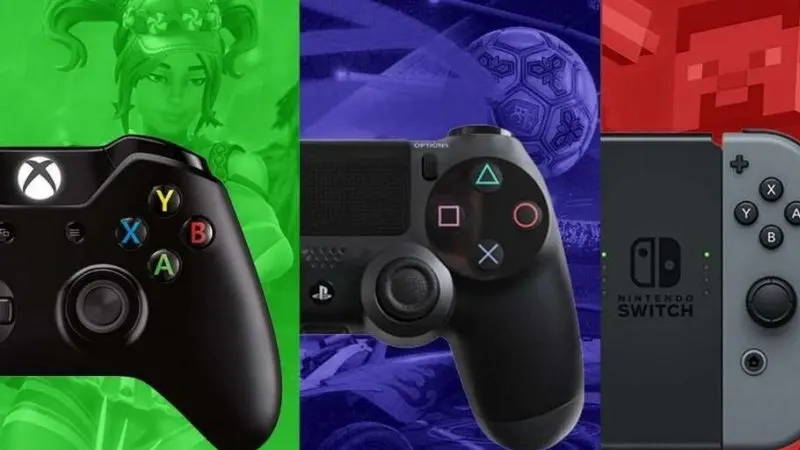
Cross-platform play, often called crossplay, connects players across PlayStation, Xbox, Nintendo Switch, PC, or mobile. It does not automatically mean that every version shares progression, purchases, or competitive matchmaking.
Crossplay, cross-progression, and cross-save
- Crossplay: players on different platforms can join the same matches.
- Cross-progression: levels, unlocks, and account progress follow you between supported systems.
- Cross-save: saved game data can be accessed on another supported platform.
- Cross-buy: one purchase grants access on more than one platform; this is less common.
How to check platform compatibility
Start with the publisher’s official support page or store listing. Confirm the exact platforms, whether crossplay is enabled by default, and whether a separate publisher account is required. Also check if console generations are grouped together and whether PC players share matchmaking with console users.
| Feature | What to verify |
|---|---|
| Crossplay | Supported systems and game modes |
| Progression | Whether levels and unlocks transfer |
| Purchases | Whether currency and add-ons carry over |
| Accounts | Publisher account and linking requirements |
Common limitations
Some games separate ranked modes, disable crossplay for particular playlists, or limit progression transfers. Premium currency may remain tied to the store where it was purchased. Family settings and regional restrictions can also prevent friends from connecting.
Best setup before playing
- Update the game on every system.
- Link the correct publisher account.
- Enable crossplay in the game settings.
- Add friends through the in-game account system.
- Test voice chat and privacy settings before joining a match.
Frequently asked questions
Is cross-platform gaming free?
Crossplay itself is usually included, but console online multiplayer may require the platform’s normal subscription. Free-to-play games sometimes have different subscription rules.
Does crossplay transfer purchases?
Not always. Crossplay and shared purchases are separate features. Check official support information before buying currency or downloadable content.
Cross-platform gaming guide for parents
Parents should review voice chat, friend requests, spending controls, and age ratings on every connected system. A child’s console privacy settings may override the game’s own crossplay option. Use family controls on the platform account and the publisher account, and avoid sharing login credentials between players.
Performance and competitive matchmaking
Crossplay can combine systems with different frame rates, input devices, and network conditions. Some competitive games separate controller and mouse users or offer an input-based matchmaking option. If matches feel uneven, check whether crossplay or input preference can be changed without disabling play with friends entirely.
Troubleshooting crossplay problems
Use this cross-platform gaming guide alongside our PUBG crossplay guide for a real game example. For account safety, review the official Xbox Family Hub or the equivalent controls on your platform. If a friend does not appear, confirm both players are using the current game version and have linked the intended publisher accounts. Recheck privacy settings, remove and re-add the in-game friend, and restart the game after changing crossplay options. Error messages may also point to maintenance or temporary server issues.
Should crossplay affect your platform choice?
Crossplay makes it easier to choose the hardware you prefer without losing access to friends, but support can change between games. Before purchasing, compare the exact game library, online subscription, controller preference, performance target, and account portability. A single supported game should not be treated as proof that every future release will work the same way.
Final advice
Return to this cross-platform gaming guide whenever a new game adds crossplay because individual requirements can change. Choose a platform based on the games, friends, performance, and services that matter to you. Treat crossplay, cross-progression, and cross-buy as separate checks so there are no surprises after purchase.