PUBG Mobile UC guide: This guide is reviewed for clear, practical information and safe steps for players.
Unknown Cash, usually called UC, is PUBG Mobile’s premium currency. Players use it for eligible passes, crates, spins, cosmetics, and other in-game purchases. This guide explains safe purchase options, legitimate reward opportunities, and the warning signs of fake UC generators.
Can you earn PUBG Mobile UC for free?
UC is primarily a paid currency. PUBG Mobile may occasionally run official events, giveaways, creator campaigns, or purchase bonuses, but there is no permanent method that produces unlimited UC. Rewards vary by region and campaign, so verify every offer through the game or an official PUBG Mobile channel.
Safe ways to obtain UC
Purchase UC inside PUBG Mobile
The simplest method is the in-game purchase screen connected to the official Apple App Store or Google Play billing system. Confirm the PUBG Mobile account, selected amount, local price, and payment profile before approving the transaction.
Use an authorized top-up service
Availability differs by country. Use only a top-up partner linked from an official PUBG Mobile website or announcement. Check the spelling of the domain, ensure the connection is secure, and never provide a password when a legitimate top-up requires only a player identifier.
Check official bonus events
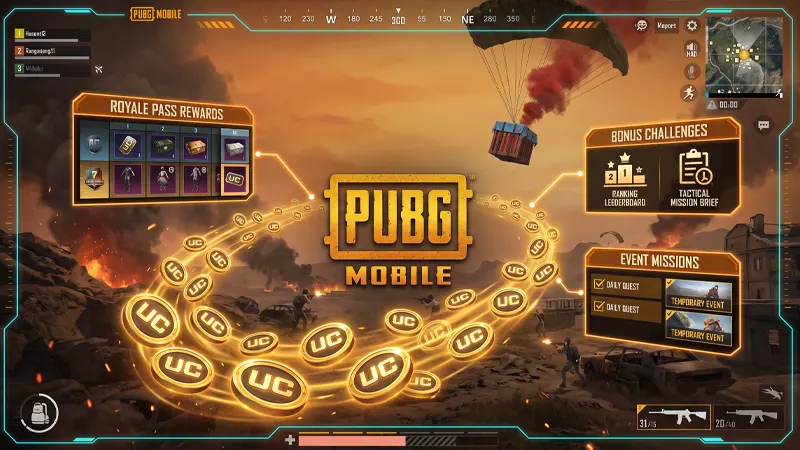
PUBG Mobile periodically promotes recharge rewards, Royale Pass activities, esports campaigns, and community events. A bonus may provide extra UC or other items after meeting exact conditions. Read the start date, deadline, region, and eligible purchase method before participating.
Participate in verified giveaways
Only consider giveaways hosted by verified PUBG Mobile channels, recognized esports broadcasts, or trusted partners identified by the publisher. A legitimate giveaway should not require your account password, recovery code, or payment-card details.
How to buy UC safely
- Open PUBG Mobile and confirm the character name and player ID.
- Choose the UC amount through the in-game store or an authorized regional partner.
- Review the price, currency, and any bonus conditions.
- Complete payment without sharing your login password.
- Keep the receipt and wait for the balance to update before purchasing again.
What to do when UC does not arrive
First, restart the game and confirm you used the correct account. Check whether the payment completed or remains pending. Do not repeat the purchase immediately, because that can create duplicate charges. Save the order number and contact official store or PUBG Mobile support through the channel used for payment.
Avoid UC generators, modified apps, and cheap sellers
Unlimited UC generators do not connect safely to the official game economy. These pages commonly use surveys, malicious downloads, fake verification screens, or stolen payment methods. Even if a seller initially delivers currency, an unauthorized transaction can be reversed and may place the account at risk.
- Never share a password or one-time verification code.
- Do not install APK files promoted as UC tools.
- Avoid sellers requesting access to your social or platform account.
- Do not enter payment information on an unfamiliar domain.
- Ignore claims that changing regions or editing game files creates free UC.
UC and other PUBG Mobile currencies
UC is not the same as Silver, AG, BP, event tokens, or Royale Pass points. Free events often reward these other resources. Always check the icon and item description so a promotion is not mistakenly presented as a UC reward.
Frequently asked questions
Can you transfer UC to another account?
UC is generally tied to the account that received it. Do not assume it can be transferred or refunded. Confirm the player ID carefully before completing a top-up.
Do UC prices vary by region?
Prices, taxes, packs, and payment methods can vary. Using unofficial region-changing methods can violate store or game rules and can also cause payment problems.
Are free UC websites legitimate?
A third-party site promising unlimited currency for a username, survey, or download should be treated as unsafe. Use only offers confirmed by official PUBG Mobile sources.
Final advice
For the safest experience, purchase through the game or a clearly authorized partner, keep transaction records, and verify promotions before participating. Never trade account security for a deal that promises impossible amounts of UC.
GameWilds reference note: Use only official purchase channels described by PUBG Mobile, and explore more PUBG guides on GameWilds.
PUBG Mobile UC guide final practical check
Final practical check: This PUBG Mobile UC guide prioritizes official purchase channels and account safety. A trustworthy PUBG Mobile UC guide should never promise a generator, unlimited currency, or a password-based reward. Prices and promotions can vary by region, so confirm the final amount in the official store before paying.