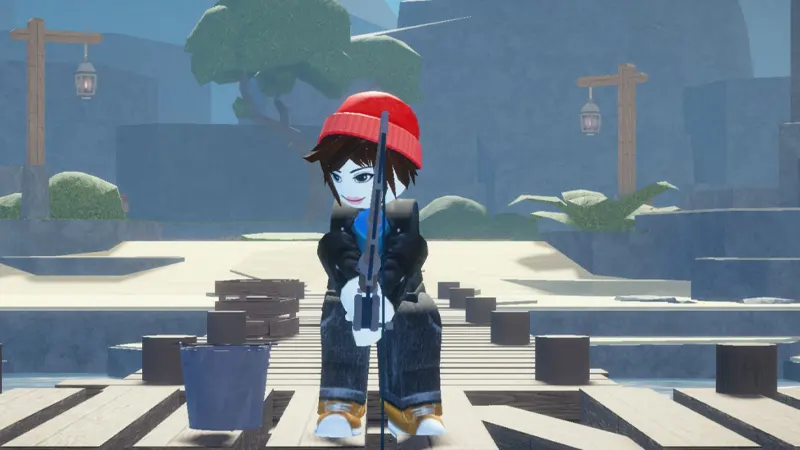
Abyss codes: Use the checked list below, follow the redemption steps, and avoid fake reward pages.
Last updated: October 2026. Abyss codes can give Shards and useful survival items. Rewards may include Oxygen Pods, potions, and feed, making them valuable for early progression.
Active Abyss codes
| Code | Reward | Status |
|---|---|---|
FISHPOND | 500 Shards and 2 Octopus Feed | Active |
MONKE | 200 Shards and 1 Strength Potion | Active |
SORRYDELAY | 200 Shards | Active |
SPORE | 400 Shards | Active |
RELEASE | 100 Star Shards, 5 Small Oxygen Pods, and 1 Speed Potion | Active |
How to redeem Abyss codes
- Launch Abyss on Roblox.
- Open Settings from the top-left corner.
- Scroll to the bottom of the settings panel.
- Paste an active code into the entry field.
- Select Redeem and check your inventory.
Expired Abyss codes
LOVEBUGFIX01
Why is my Abyss code not working?
- The code expired after an event or bug-fix update.
- The spelling or capitalization is incorrect.
- The reward was already claimed.
- The code field is hidden lower in the settings panel.
- The server needs to be rejoined after a patch.
Abyss codes FAQ
Which Abyss code gives the most Shards?
FISHPOND is currently reported to give 500 Shards plus 2 Octopus Feed.
What are Oxygen Pods used for?
Oxygen-related items support underwater exploration and survival, though exact effects can change as the game is updated.
Can I redeem Abyss codes more than once?
No. Each promotional code is normally limited to one redemption per Roblox account.
How we verify Abyss codes
We review Abyss codes exactly as written and separate currently reported rewards from older entries. A code can stop working after an update, event, or redemption limit, so the status on this page reflects the last-checked date rather than a permanent guarantee. We do not list code generators or offers that ask for a password, payment, or software download.
How to enter Abyss codes correctly
- Copy the code without quotation marks.
- Keep capital letters, numbers, and punctuation exactly as shown.
- Remove spaces before and after the code.
- Redeem each code only once on the same account.
- Join a fresh server or restart the game if the menu has not updated.
What the rewards may include
Depending on the campaign, rewards may include currency, boosts, and progression rewards. The developer controls the final item and availability. Always read the in-game confirmation before claiming, because reward values can change and some promotions are limited by region, account, or event period.
Why a Abyss code may not work
The most common reasons are expiration, a typing mistake, an already claimed reward, or an outdated game server. Paste the code again, check every character, then relaunch the experience. If it still fails, treat it as unavailable until the developer confirms otherwise.
Safe sources for new codes
Check the official game platform and developer announcements after major updates or community milestones. Never share login details to unlock a reward. For more verified promotions, browse the GameWilds game codes archive. We revisit this guide when reliable information changes.