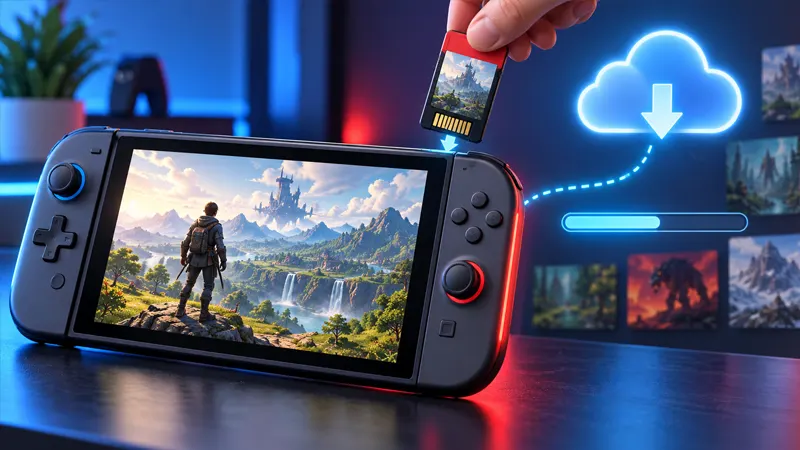
Updated September 25, 2026. Switch 2 game-key cards look like traditional physical game cards, but they work differently. The card acts as a key that authorizes a game download instead of storing the complete playable software on the card.
This guide explains nine essential facts about downloads, storage, internet access, resale and everyday use so buyers can choose the right format with confidence.
What Are Switch 2 Game-Key Cards?
A game-key card is a physical product for Nintendo Switch 2. After inserting it, the console connects to the internet and downloads the game data. Once installation is complete, the card generally needs to remain inserted whenever that game is launched.
This makes the format different from a normal physical card containing all required game data and from a fully digital eShop purchase tied to an account. It combines a physical ownership token with a substantial digital download.
9 Essential Facts Buyers Should Know
- The full game may not be stored on the card: Expect a download before the first play session.
- Internet is required for the initial download: A slow or capped connection can affect setup time.
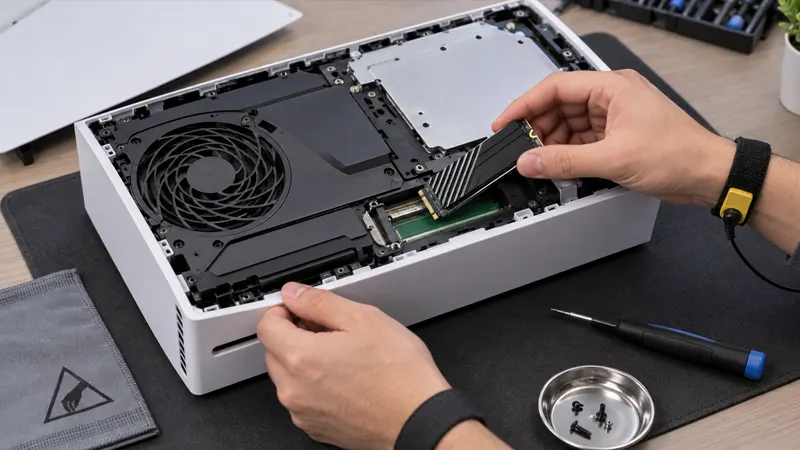
- Storage space matters: Check the game’s download size and the free space on the console or compatible microSD Express card.
- The card remains important: Keep it inserted when launching the downloaded game because it provides authorization.
- Offline play can be possible after setup: The exact behavior depends on the game and any online requirements set by its publisher.
- The card can be shared physically: Another compatible console can use it, but that console must download the game data too.
- Resale is different from a digital license: The physical key can generally move with the card, subject to the game’s conditions.
- Updates still require storage: Patches, downloadable content and save data can increase the total space used.
- Packaging identifies the format: Check for the game-key card label before buying so the required download is not a surprise.
How Installation Works
Insert the game-key card into the Nintendo Switch 2 card slot while the console is connected to the internet. Select the game icon and follow the download prompt. Keep the system powered or charging and avoid removing the card during important setup steps.
After the download finishes, launch the game with the card inserted. Future patches can download through the normal update process. Removing the card does not automatically erase the installed data, but the game will not launch without its physical key.
Storage Planning Before You Buy
Read the packaging or eShop listing for the required download size, then leave extra room for updates. A game listed at 40 GB may eventually use more space. Open System Settings and review storage before purchase, especially if several game-key titles will share the console.
If internal storage is tight, a compatible microSD Express card can expand capacity. Ordinary older microSD cards may not meet Nintendo Switch 2 game-storage requirements, so confirm compatibility rather than assuming any card will work.
Can You Play Offline?
After the initial download, many games can be played offline with the game-key card inserted. However, online-only games, account checks, multiplayer modes or publisher services may still need a connection. The game itself—not merely the card format—determines those requirements.
Before travel, insert the card, launch the game once, install pending updates and test it with airplane mode enabled. This simple check prevents an unexpected download prompt away from Wi-Fi.
Can Switch 2 Game-Key Cards Be Resold?
Nintendo explains that a game-key card can be lent or sold similarly to a traditional physical card. The next user inserts the same card and downloads the necessary data on a compatible console. Personal save data normally remains with the original user’s console or supported cloud service rather than traveling on the card.
Buyers of used cards should inspect the physical card, confirm that the exact product is compatible with their region and console, and avoid sellers offering only a photograph or code. The actual card is the key.
Game-Key Card vs Physical Card vs Digital
A traditional physical release is best for players who want minimal downloading and durable offline access, although updates may still be required. A game-key card offers a physical item that can be shared or resold, but it depends heavily on storage and an initial internet download. A digital copy avoids card swapping but is attached to the purchasing account and cannot be resold like a card.
The best choice depends on connection speed, storage, collecting preferences and whether several people share games. Switch 2 game-key cards make the most sense when physical transfer matters more than having all data on the card.
Official Nintendo Guidance
Nintendo published a dedicated explanation for players unfamiliar with the format. Read the official Nintendo news page and the Nintendo Switch 2 information page for current requirements and support links.
Switch 2 Game-Key Cards FAQ
Does the card contain the whole game?
Usually no. It contains the key used to download and launch the software.
Must the card stay inserted?
Yes, keep it inserted while launching and playing the associated game.
Can two consoles play from one card at once?
No. The physical card can only be inserted into one console at a time.
Will deleting the game destroy the card?
No. You can normally redownload the data later while possessing the card, subject to service availability and publisher requirements.
Final Verdict
Switch 2 game-key cards preserve lending and resale while shifting the game data to a download. Check the label, download size and connection requirements before buying. For more Nintendo help, visit GameWilds Nintendo.