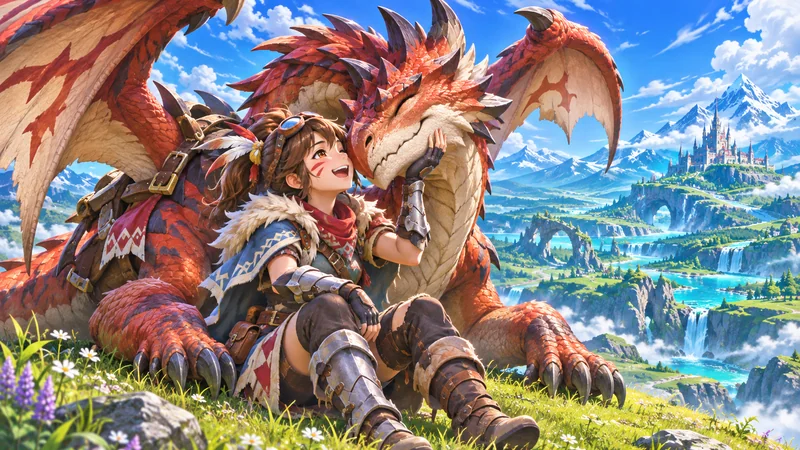
Monster Hunter Stories 3 PC players have a new storefront option on November 18, 2026: the Xbox on PC release brings Xbox Play Anywhere support to Twisted Reflection. The important distinction is not simply “the game is on PC.” It is which store supplied your copy and which ecosystem holds your progress.
If you already own the RPG, do these checks before purchasing it again or expecting an existing save to appear. This is a sourced launch guide, not a performance review; we have not benchmarked this release or tested a migration between stores.
1. Understand what launches on November 18
In Capcom’s Xbox Wire announcement, November 18 is the Xbox on PC launch, with Xbox Play Anywhere across Series X|S, Windows 11 PCs and compatible handhelds. It is not the first release of the game on every platform.
The announcement says progress, additional content and achievements follow you within that supported Xbox setup. The RPG itself uses turn-based battles and a story about Riders and their monster companions. Habitat Restoration is another major feature. None of that makes this launch a new action-combat Monster Hunter game.
For returning Monster Hunter Stories 3 PC players, the useful question is whether this version fits the devices you actually use. A new store option can be convenient without requiring everyone who already owns a different version to start over.
2. Check digital ownership before buying twice
Microsoft’s Xbox Play Anywhere explanation ties the benefit to eligible digital games purchased through the Xbox or Windows store ecosystem. Look for the Play Anywhere badge on the exact listing and sign into the Microsoft account associated with that purchase. Disc ownership is not the same entitlement.
On a Windows PC, check the Xbox app’s library before opening a checkout page. If the expected game is missing, first compare the account and purchase record. Buying another copy may conceal an account mix-up rather than solve it.
Our recommendation is to write down three details: the store, edition and owning account. You do not need to share private account information with anyone. This small record helps distinguish “I own the game” from “this account owns this particular version.”
3. Keep Xbox and Steam save expectations separate
Do not interpret the Xbox announcement as a promise of universal cross-save. Capcom’s Steam FAQ, last updated in July, says cross-saves between platforms are not supported. The later Xbox announcement specifically describes the Xbox Play Anywhere route; it does not announce a Steam-to-Xbox import.
If your established playthrough is on Steam, keep that installation and save intact while checking the new version’s options. Do not delete an old save, rename unfamiliar files or overwrite a cloud copy because two products have the same title. Storefront compatibility needs explicit confirmation, not guesswork.
For a Steam synchronization warning, see our Steam Cloud conflict guide. That is a troubleshooting resource, not a method for converting a save into another store’s format.
4. Review the edition and add-ons you already have
Capcom’s launch announcement identifies Additional Side Story: Rudy as included with the Deluxe Edition, Premium Deluxe Edition and Deluxe Kit. Check your edition’s included content before treating an extra purchase as necessary.
Use the current store listing to verify what you own and what is installed. “Included,” “purchased” and “downloaded” can describe different stages. If an add-on is missing, record its exact name and investigate that item rather than reinstalling unrelated games or buying an entire bundle again.
Monster Hunter Stories 3 PC also needs to be evaluated on the target device, not on a general assumption that a handheld is equivalent to a desktop. Consult the current listing for that version’s requirements. This guide does not claim a specific frame rate, storage size or battery life.
5. Make the first device switch a controlled test
Microsoft says Play Anywhere uses the same account and carries progress between supported devices, with one device playing the same game at a time. Our advice is to make your first switch after a clear stopping point, close the session and allow synchronization to complete before continuing elsewhere.
On the second device, confirm that the expected progress is present before playing a long session. If it is not, stop and check the account and sync status. That is much safer than creating hours of competing progress and trying to decide which version to keep later.
Monster Hunter Stories 3 PC FAQ
Does the November release mean Steam owners get an Xbox license?
No such entitlement is announced. Check the qualifying digital purchase and store badge rather than assuming all PC purchases are interchangeable.
Is Xbox Play Anywhere the same as multiplayer?
No. It concerns supported ownership and progress across devices. Capcom’s Steam FAQ says online play is not available for the game.
Best next step: check your library and account first. Monster Hunter Stories 3 PC is a more useful purchase decision when you know whether you need a new license, a supported device switch or simply access to a copy you already own.