Updated September 14, 2026. Nintendo Switch 2 Update 23.0.0 is one of the console’s most useful system updates so far, adding better GameChat controls, expanded Virtual Game Card options, accessibility improvements and several quality-of-life changes. This guide explains every important feature, what it changes and what players should check after installing it.
Nintendo Switch 2 Update 23.0.0 Release Details
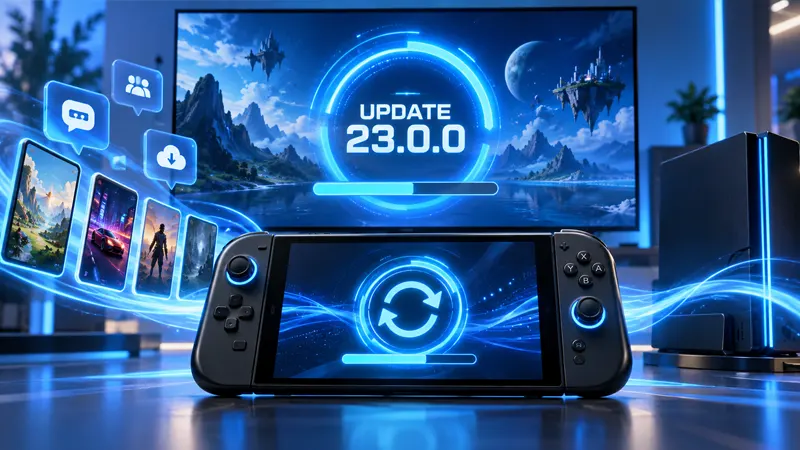
Nintendo released the update on September 10, 2026. Your console normally downloads system updates automatically while connected to the internet, but you can also open System Settings, choose System, and select System Update. Save any active game first, keep the console powered, and avoid interrupting the installation.
The official Nintendo support notes provide the full technical list. Players can also visit our Nintendo hub for more Switch 2 news and guides.
11 Amazing Nintendo Switch 2 Update 23.0.0 Changes
1. GameChat history is easier to review
The GameChat menu now includes chat history, making it easier to see recent sessions and reconnect with people you played with. This small change should help regular groups organize without relying on memory or external messages.
2. Start GameChat without inviting anyone
You can begin a GameChat session before sending invitations. That means you can prepare your microphone, camera and screen-sharing settings first, then invite friends when you are ready.
3. New GameChat screen-size option
Nintendo added another screen-size choice for GameChat. Players can adjust the layout to give gameplay more room or make friends’ video and shared screens easier to see.
4. Expanded Virtual Game Card settings
Nintendo Switch 2 Update 23.0.0 adds more control over Virtual Game Cards. This is especially valuable for households that lend eligible digital games between linked consoles and want clearer management options.
5. VRR support in TV mode
A new variable refresh rate setting is available for compatible displays in TV mode. VRR can reduce visible tearing when a game’s frame rate changes, although results depend on the television, HDMI connection and game.
6. Improved system transfer
The transfer process has been refined for players moving data between systems. Before starting, connect both consoles to reliable power and internet, verify the Nintendo Account being used, and follow each on-screen step carefully.
7. Better accessibility controls
Accessibility options receive useful adjustments that make the interface easier to operate for more players. Review the Accessibility section after updating because a newly added option may suit your setup better than the previous defaults.
8. Mii QR code sharing
Mii characters can be shared more conveniently with QR codes. It is a fast way to move or exchange a design without recreating every facial feature manually.
9. Sleep-mode sound previews
You can preview the sound used around sleep-mode behavior. It is a minor addition, but it gives owners more confidence when changing audio-related settings.
10. Enhanced handheld display mode
The update adds a handheld display enhancement option. Compare it in a familiar game and choose the setting that looks most natural to you, since preferences can vary with brightness, lighting and the title being played.
11. Combined play-time information
Play-time details are presented more clearly across supported software and systems. Players who track long-running games should find the updated information easier to understand.
What to Check After Installing the Update
After Nintendo Switch 2 Update 23.0.0 finishes, open System Settings and confirm the version number. Then test GameChat, inspect Virtual Game Card settings and review display options. If VRR is enabled, make sure your television supports it on the HDMI port you use. A black screen or unstable picture usually means the display setting and television capability do not match.
If a download stalls, restart the console, check Nintendo’s network status and try again on a stable connection. Do not remove power during the installation. Games may also receive separate updates, so highlight a game, press the Plus button and check Software Update if a feature appears missing.
Is Nintendo Switch 2 Update 23.0.0 Worth Installing?
Yes. The update does not depend on one headline feature; its value comes from many practical improvements working together. GameChat becomes more flexible, digital-game management gets clearer, display support improves and several everyday settings become easier to use.
Frequently Asked Questions
Is Nintendo Switch 2 Update 23.0.0 free?
Yes. Nintendo system software updates are free to download on a connected Switch 2 console.
Will the update delete my games or saves?
A normal system update should preserve installed software and save data. Keeping a supported backup for important saves is still sensible before any major system change.
Do all televisions support TV-mode VRR?
No. Your television and selected HDMI input must support compatible variable refresh rate features. Check the manufacturer’s specifications if the setting causes problems.
Final Verdict
Nintendo Switch 2 Update 23.0.0 is a strong maintenance release with changes players will notice beyond the update screen. Install it, review the new settings instead of assuming the defaults are ideal, and test the display and GameChat options that match how you actually use the console.