Ocarina of Time Switch 2 is more than another way to launch the Nintendo 64 original. Nintendo’s remake arrived November 5, 2026, with changes to presentation, movement, music and optional companion-app features. The important distinction for returning players is between a familiar adventure and the tools now used to explore it.
For newcomers, you do not need a series-wide homework list before starting. Nintendo describes this as a standalone adventure. Below are seven confirmed additions and changes, followed by spoiler-light preparation advice. This is a source-based feature guide, not a review or a performance benchmark.
1. A rebuilt visual presentation
Nintendo’s launch overview describes a ground-up remake with overhauled visuals. That means footage of this release should not be confused with the older Nintendo 64 version running through another service.
When comparing screenshots, label which release you are viewing. An older walkthrough can still explain an idea while showing a different interface or perspective. If a guide’s screen does not match yours, first check its version and publication date rather than assuming you missed an upgrade.
For Ocarina of Time Switch 2, judge visual changes through current official footage and the game itself. This article does not attach an unverified resolution or frame-rate number to the remake.
2. Revised movement and camera controls
In its anniversary presentation summary, Nintendo identifies added jump and run commands and Right Stick camera control. These are especially relevant if you remember the original’s control habits.
Give yourself a quiet first session to learn the current layout. Practice looking around, moving and responding to the displayed prompts before treating muscle memory as a reliable guide. A button sequence remembered from another controller is not necessarily the right instruction for this release.
If you use a tutorial video, check whether it names the remake explicitly. That one check can prevent a long search for a setting or command the video was never designed to explain.
3. Voiced cutscenes and expanded dialogue
Nintendo confirms voice work during cutscenes and expanded character dialogue. Those changes affect how the story is presented; they are not evidence that every interaction is voiced or that a particular language option is included.
New players can benefit from a simple habit: finish the current conversation before opening a walkthrough. A character may already provide the next useful clue. If you return after a break, make a short note of who you last spoke to and what they asked, rather than keeping a detailed spoiler-filled route open throughout the session.
Returning players should also leave room for unfamiliar details. Recognizing a scene does not mean you have already heard everything this version presents.
4. An orchestral soundtrack
The remake includes symphonic orchestral music, according to Nintendo. That is a presentation change separate from the ocarina actions you perform during play.
For a first visit, consider hearing a location’s music in context before looking up soundtrack comparisons. It preserves the discovery and makes your own preference easier to judge. There is no universal requirement to prefer a new arrangement over the original recording.
If you are watching footage with altered audio, remember that it may not demonstrate the game’s actual soundtrack. Use an official trailer for a source-based comparison, not a fan edit with an unrelated track.
5. Microphone-based ocarina interaction
Nintendo says the console’s built-in microphone can recognize humming or playing learned ocarina melodies so Link performs the song. The company also describes conventional in-game music interaction; do not interpret the microphone feature as a requirement to buy a separate musical accessory.
Try the feature in a setting where you can follow the game’s prompts clearly. If recognition does not work as expected, note the melody and the stage that failed. Do not immediately assume your entire console needs resetting.
For Ocarina of Time Switch 2, separate the appeal of a novel input method from the adventure’s progression requirements. Follow what the game asks you to learn instead of searching for a purported shortcut that claims to unlock every song.
6. The Hall of Fallen Foes and fairy thoughts
Nintendo’s launch article identifies the Hall of Fallen Foes as a place to challenge powerful enemies again, alongside fairy thoughts scattered around Hyrule. These are confirmed features, but this guide does not claim a complete reward list or reveal their locations.
If you want a spoiler-light playthrough, decide in advance how much help you want. A hint that points you toward a region and a map revealing every collectible are very different tools. Start with the least detail that solves your actual problem.
There is no need to turn the first hour into a completion checklist. You can learn the world before deciding whether to pursue every optional discovery.
7. Ocarina of Time Switch 2 and ZELDA NOTES
Nintendo describes ZELDA NOTES within the Nintendo Switch App as offering daily accomplishments, image-based location challenges, a virtual ocarina with shareable music scores and an Ocarina quiz. It is a companion service, not a separate copy of the console game.
The published requirements include a Nintendo Account, a compatible smart device and persistent internet; some features require Nintendo Switch Online, and availability varies by country. Check the current service details before promising that every feature is free everywhere.
Choose whether the app fits the way you want to play. Someone seeking uninterrupted exploration may prefer to put the phone aside, while another player may enjoy a location challenge between sessions. Neither approach establishes a superior way to experience the story.
A sensible starting plan for new players
Confirm the platform before buying: this remake is a Nintendo Switch 2 release. Do not confuse it with an older version simply because both listings use Ocarina of Time in their names. Check the current product entry, region and ownership details for your account.
For Ocarina of Time Switch 2, a useful opening plan is to learn the controls, listen to the immediate story setup and follow the first clear objective. Keep notes only when they help you return after a break. That is more approachable than trying to memorize decades of Zelda chronology before playing.
For broader celebration context, see our Zelda 40th-anniversary roundup. If you want to keep pictures from your journey, our Switch screenshot-transfer guide separates original Switch and Switch 2 workflows.
Ocarina of Time Switch 2: quick answers
Do I need to finish earlier Zelda games?
No. Nintendo presents this as a standalone adventure. You can start here without a prescribed series play order.
Is this article a hands-on verdict?
No. It explains confirmed features and offers preparation advice; it does not claim measured performance or completed gameplay.
Are all app features available to everyone?
No such guarantee is made. Check device, account, membership and regional requirements for the feature you want.
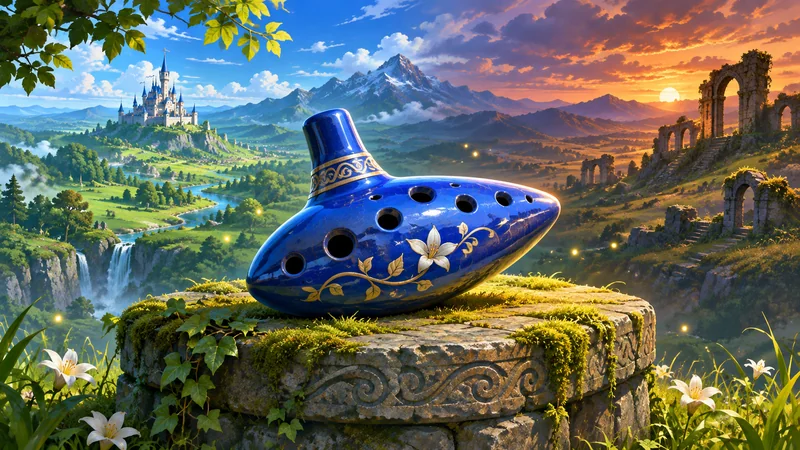
Nintendo sources checked November 12, 2026. Service details can change. The cover is an AI-generated editorial illustration, not official Zelda artwork or a gameplay screenshot. No hands-on game or app testing is claimed.