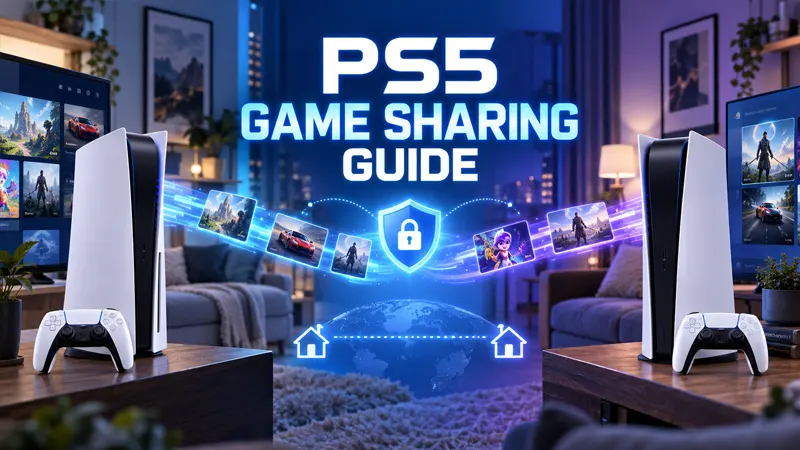
Updated September 21, 2026. PS5 game sharing lets one trusted second console play eligible purchases from your account and allows your own account to access its library while signed in elsewhere. The feature is useful, but it must be configured carefully to protect your account and licenses.
PS5 Game Sharing Explained
On PlayStation 5, the relevant setting is called Console Sharing and Offline Play. When enabled on one PS5, other users on that console can play supported games and use certain benefits purchased by the account that enabled sharing. That console can also launch eligible content offline.
Your account can sign in on another PS5 and play its purchases while connected to PlayStation Network. Only enable sharing on a console you control or with someone you trust. Never provide login details through messages or unofficial websites.
7 Easy PS5 Game Sharing Setup Steps
- Choose the trusted console. Decide which PS5 should receive offline access and allow other local users to play eligible purchases. This is normally the family or trusted friend’s console.
- Add your PlayStation account. Sign in directly on that PS5 using the official user-management screen. Use your own controller and avoid sharing the password verbally or in a chat.
- Open the settings menu. From the home screen, select Settings, then Users and Accounts.
- Open Other settings. Choose Other, then select Console Sharing and Offline Play.
- Enable console sharing. Select Enable. If another PS5 already has the feature enabled for your account, the active assignment may change.
- Download eligible games. Open Game Library under your account, select purchased content, and start the download. The other local user can then switch to their own profile.
- Test the setup. Launch one shared game from the second profile. If a padlock appears, restore licenses and confirm that Console Sharing and Offline Play is enabled.
What PS5 Game Sharing Includes
Eligible digital games and add-ons can be available to other users on the enabled console. Some PlayStation Plus benefits may also be shared locally, such as online multiplayer access for other accounts on that PS5, depending on the current subscription terms and the content.
Not every benefit transfers. Cloud storage, member discounts, claiming monthly games, account-specific currency, and some in-game items remain tied to the purchasing account. Publisher accounts and age restrictions can also limit access.
How Many Consoles Can Share Games?
An account can enable Console Sharing and Offline Play on one PS5 at a time. You can still sign in and play purchases on another PS5, but that normally requires an internet connection so Sony can verify the license.
This is different from simply having several user profiles. The important limit is the one PS5 designated for console sharing and offline access. Changing it repeatedly may trigger security checks or temporary license confusion.
How to Restore PS5 Game Licenses
If a purchased game shows a padlock, open Settings, choose Users and Accounts, select Other, and then choose Restore Licenses. Confirm the operation and wait for the system to finish. Restoring licenses does not delete games, saved data, or captures.
Also verify that the console is online, the correct account owns the game, and the PlayStation Network service is operating normally. Restarting the PS5 after a license restore can clear a stubborn menu state.
Is PS5 Game Sharing Safe?
The built-in feature is legitimate, but account sharing creates risk if the other console or user is not trustworthy. Use a unique password, enable two-step verification or a passkey, and require a password at checkout. Review signed-in devices regularly.
Do not buy access to another person’s account or respond to offers promising a library of cheap games. The owner can revoke access, the account may be stolen, and unauthorized transactions can lead to restrictions.
Common PS5 Game Sharing Problems
Shared games show a padlock
Restore licenses, confirm console sharing is enabled, and make sure the owner account still has the required purchase or subscription.
The Enable option is unavailable
Restart the console, check PlayStation Network status, and confirm the account is fully signed in. If another console is assigned, deactivate it through official account management when appropriate.
DLC does not appear
Some add-ons require the base game and DLC to match regions. Consumable currency and account-bound items may not share at all. Check the product description before purchasing.
A PlayStation Plus game stopped working
The account that claimed the game must maintain the required subscription. A title can also leave a catalog even though it remains installed.
How to Stop Sharing Safely
On the shared PS5, return to Settings, Users and Accounts, Other, Console Sharing and Offline Play, then select Disable. If you no longer have access to that console, use Sony’s official account-management tools to sign out devices or deactivate consoles, then change the password if security is a concern.
For additional console guides, visit the GameWilds PlayStation section. Sony maintains official instructions for Console Sharing and Offline Play and restoring licenses.
Frequently Asked Questions
Can two people play the same shared PS5 game at once?
In many cases, yes: one person plays on the enabled sharing console while the purchasing account plays on another connected PS5. Game-specific online rules still apply.
Does game sharing transfer saved data?
No. Saves remain associated with each user’s profile and must be moved through supported cloud or storage options.
Can I share disc games digitally?
No. A physical game normally requires the disc for license verification and is not converted into a shareable digital purchase.
Will changing my password stop sharing?
It can interrupt access, but you should also review devices, sign out where necessary, and disable console sharing through official account controls.
PS5 game sharing works best between trusted users who understand its one-console limit. Protect the account first, verify licenses second, and avoid unofficial account marketplaces entirely.